



Released, version 0.6.2
Lopper
Clean up git branches and worktrees, and undo any of it.
A free, open source Mac app that finds merged git branches, leftover agent worktrees and generated folders, shows the git evidence for each, and lets you undo any removal for 30 days.
Lopper is ad hoc signed and not notarized, so macOS blocks the first launch once. Choose Open Anyway in System Settings, Privacy and Security. Install steps
The Lopper film
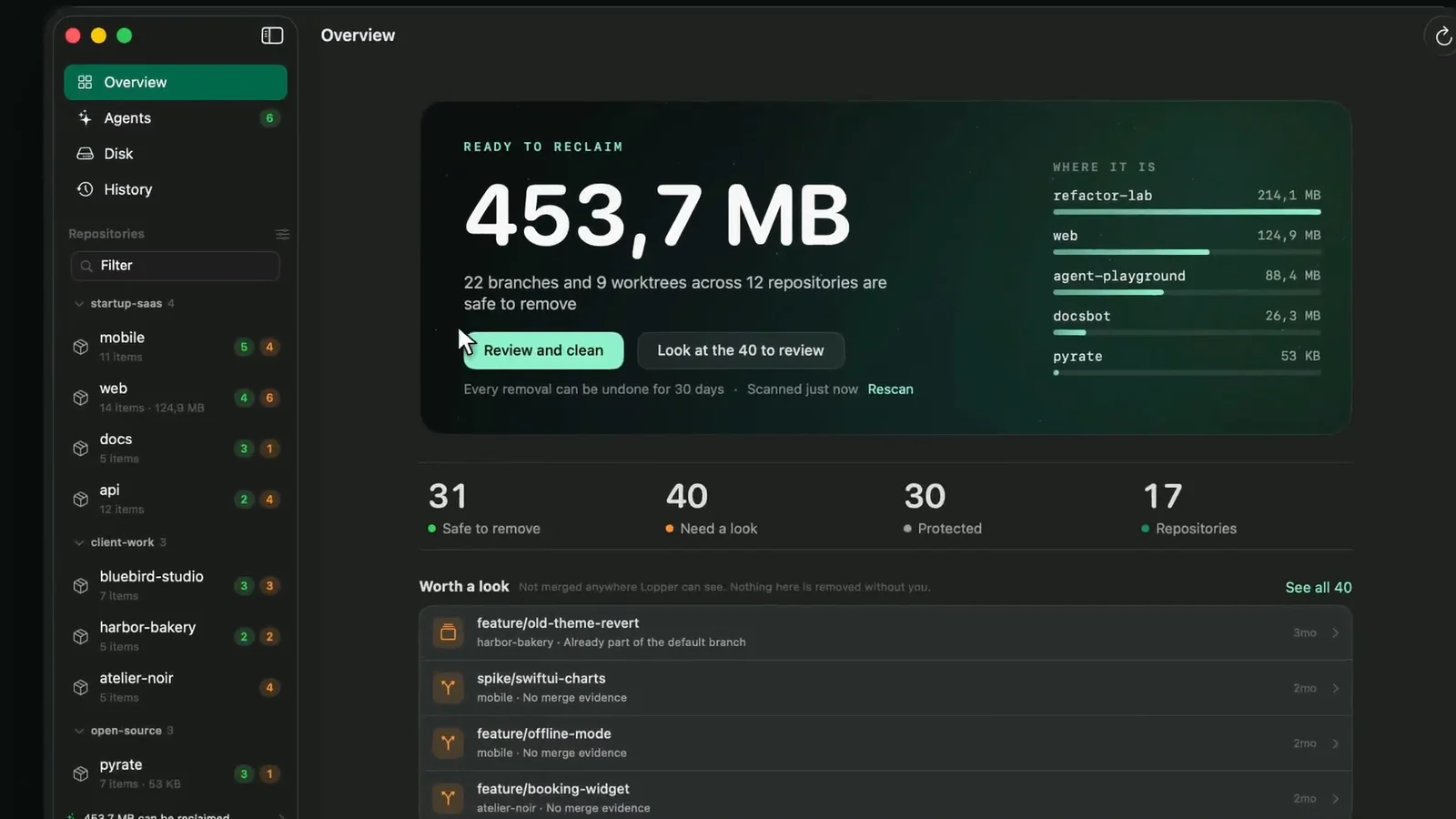 Play the film, 0:44, with sound
- Status
- Released, version 0.6.2
- Price
- Free to download and use today.
- License
- Open source, MIT
- Requires
- macOS 14 or later, with git installed. Built for Apple silicon and Intel, and tested on Apple silicon only.
- Last release
- 16 November 2026
What it does.
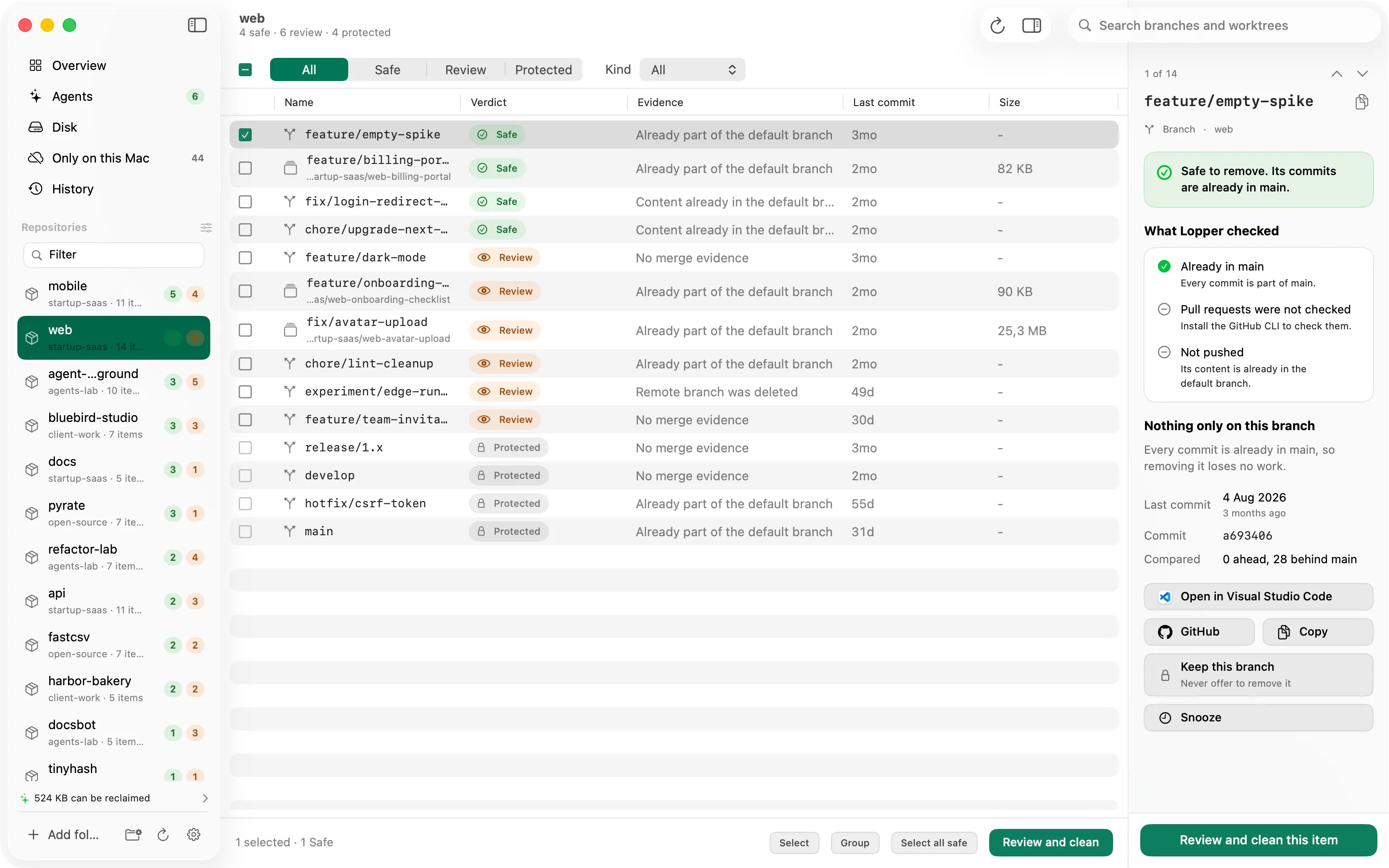
Lopper scans the folders you choose and sorts every branch and worktree as Safe, Review or Protected, with the git evidence behind each verdict. If git cannot prove something is merged, it says so rather than guessing.
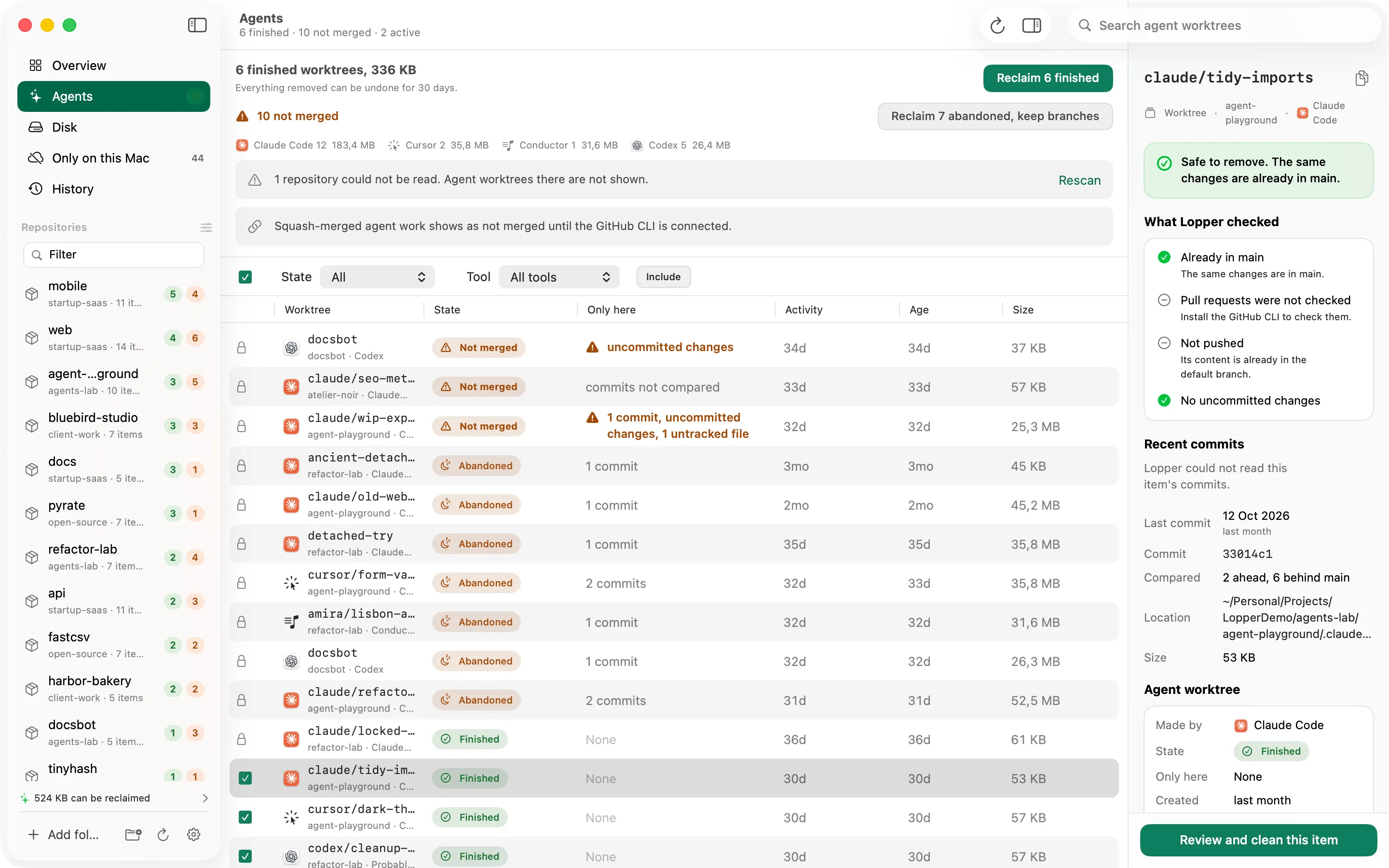
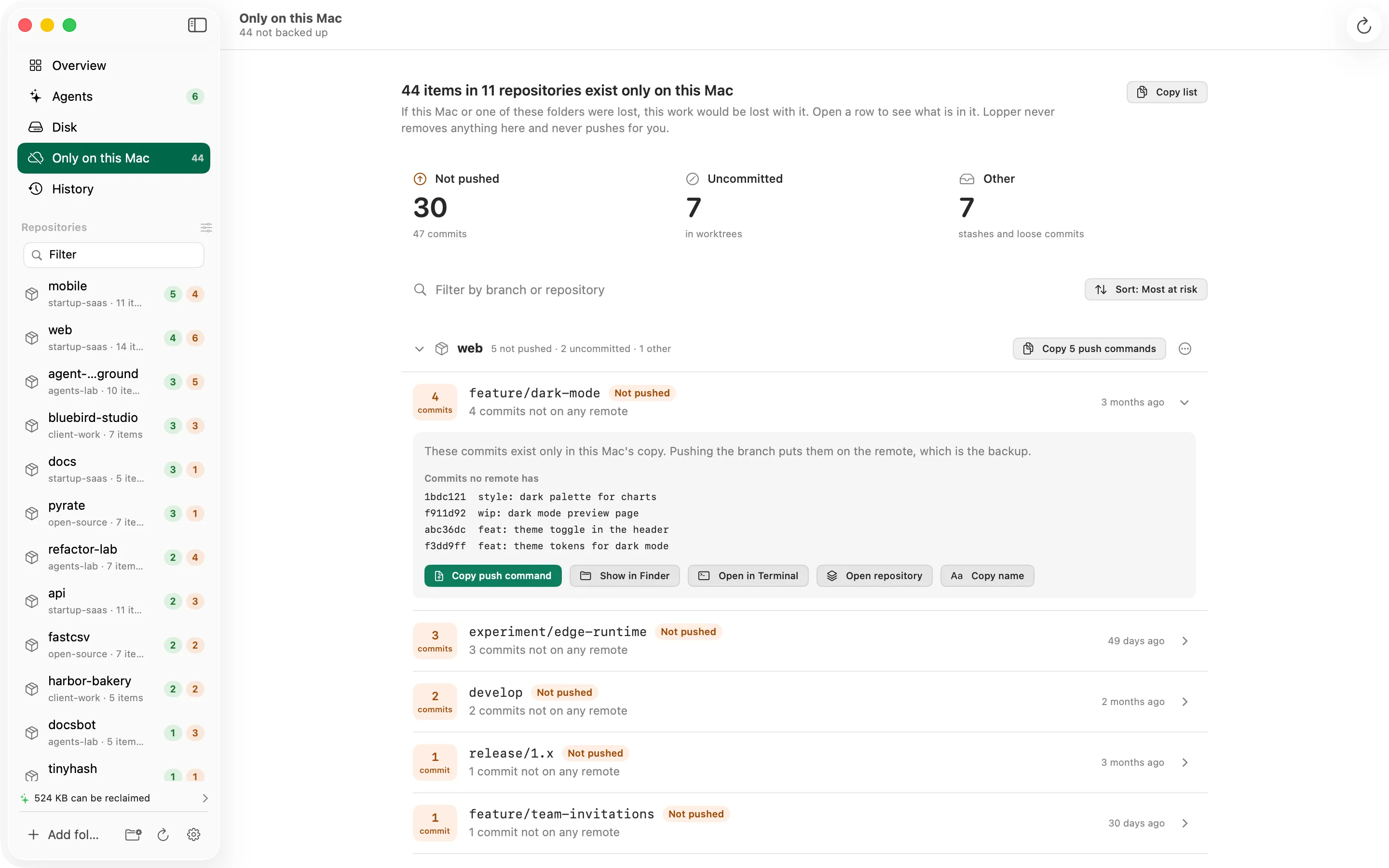
It recognises the worktrees AI coding agents leave behind, from Claude Code, Cursor, Codex and Conductor, shows which hold unmerged or uncommitted work, and can reclaim the finished ones in one step. A separate page lists work that exists only on your Mac and never removes or pushes it.
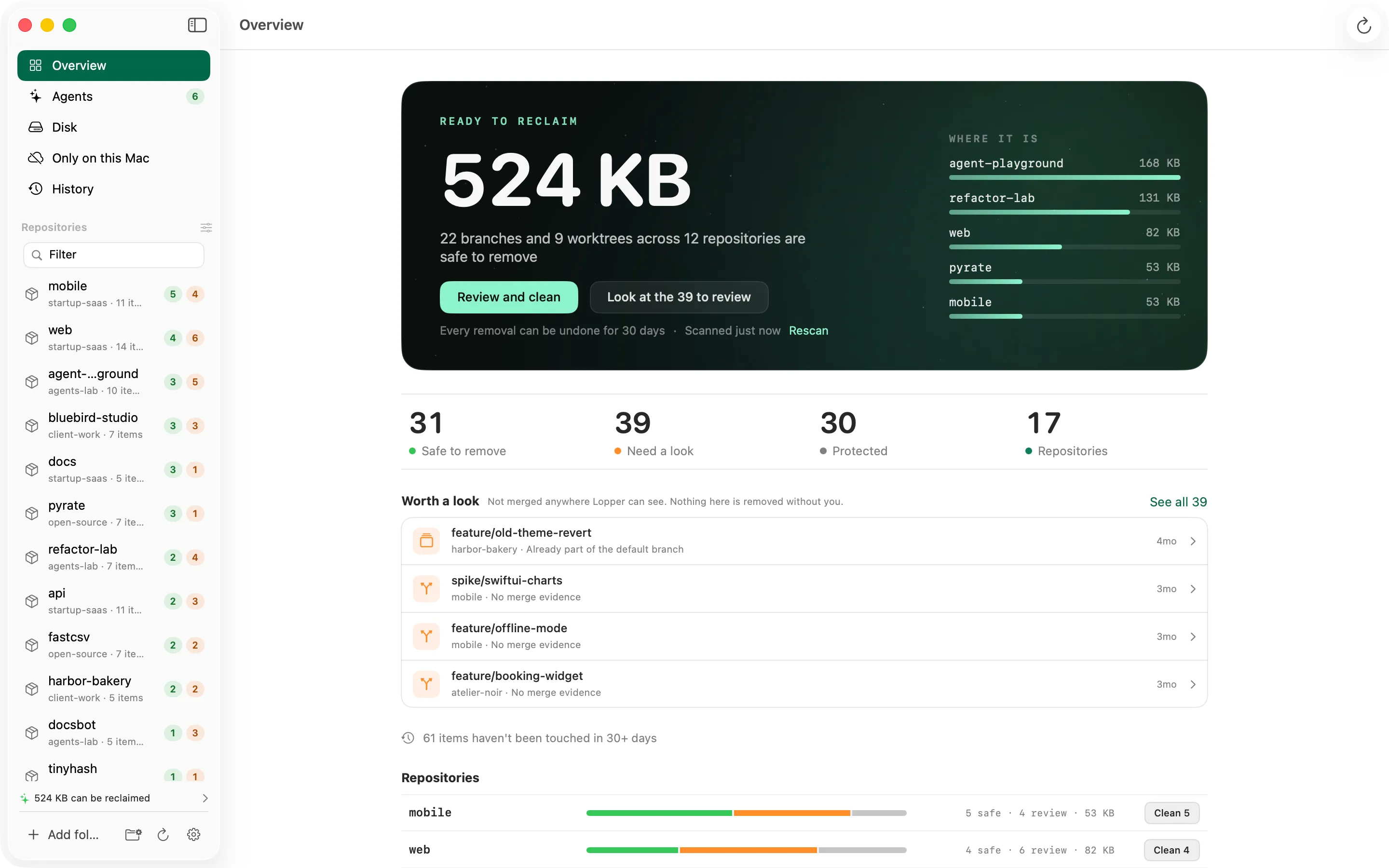
You review a list before anything is removed, and every removal can be restored from History for 30 days. There is no account and no analytics, and Lopper goes online only for the update checks you turn on.
Features.
Verdicts with evidence
Every branch and worktree is Safe, Review or Protected, with the git evidence behind it. When git cannot prove it, Lopper shows no evidence and never guesses.
Review and clean, with undo
Nothing is removed without a list you confirm, each removal is checked again just before it runs, and History keeps it restorable for 30 days. Lopper never uses git force.
Agent worktrees
Recognises worktrees from Claude Code, Cursor, Codex and Conductor and shows which are finished. Claude Code is confirmed on a real install; the others are found by their folder conventions.
Only on this Mac
Unpushed commits, uncommitted changes in worktrees, stashes and half done rebases, ordered by risk. It lists and explains, and never removes or pushes anything.
Disk
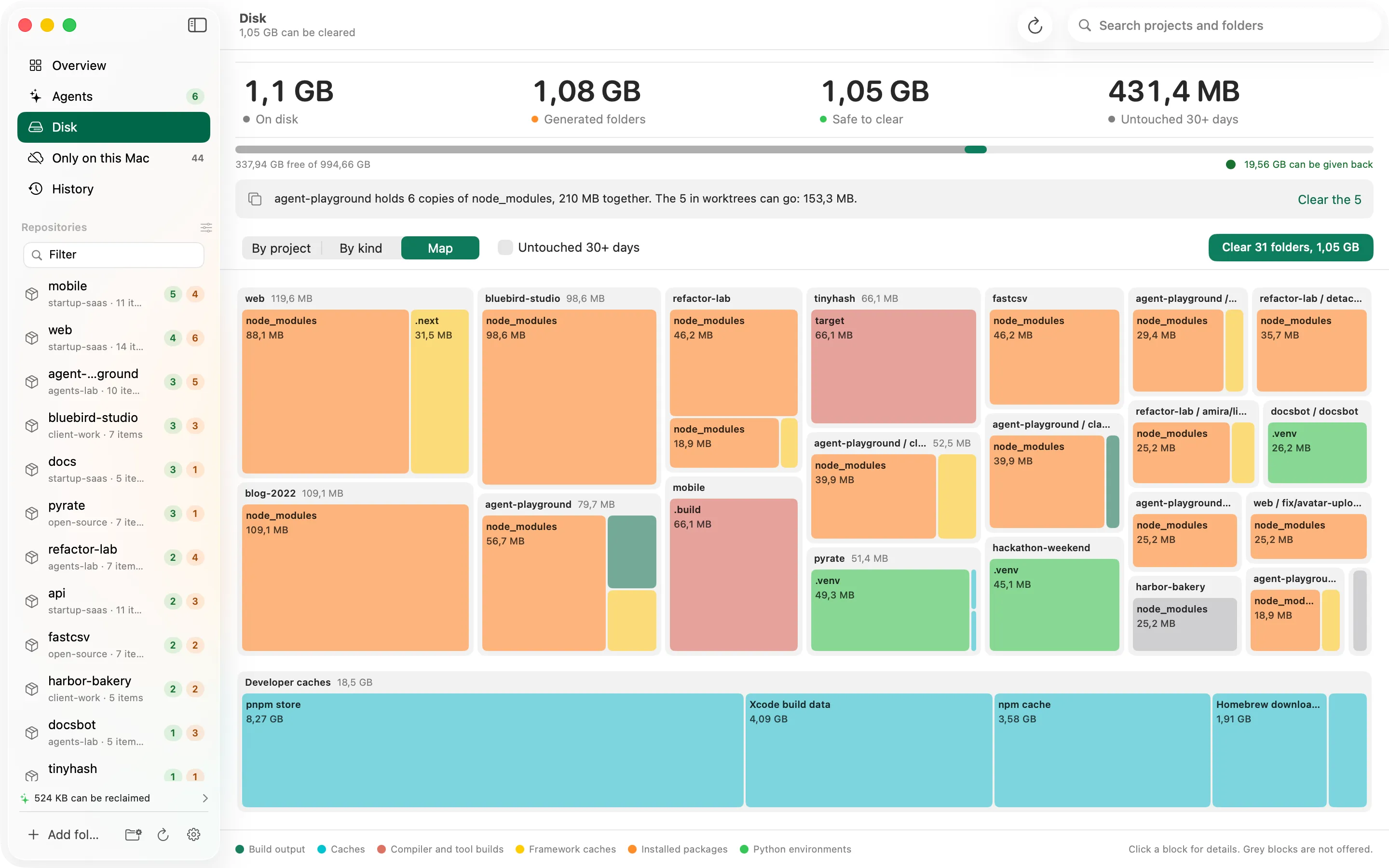
Generated folders such as node_modules and build output, and developer caches, by project, by kind or as a map. Clearing moves them to the Trash with an undo record.
A command line tool
The lop command reports the same findings in a terminal. It is a separate download or Homebrew formula and is not bundled in the app.
Good to know.
- Nothing is removed without a confirmed list. Lopper never uses git force and never pushes. Removals can be restored from History for 30 days by default.
- No account and no analytics. It needs no Full Disk Access, Accessibility or Automation permission, and reads only the folders you choose.
- The app makes no network calls by itself apart from update checks, which stay off until you turn them on.
- If the optional GitHub CLI is installed, Lopper runs it in each repository to find merged pull requests, and the GitHub CLI contacts GitHub.

