



Early, version 0.1.1
Apropos
Every menu command of the app in front, one key away.
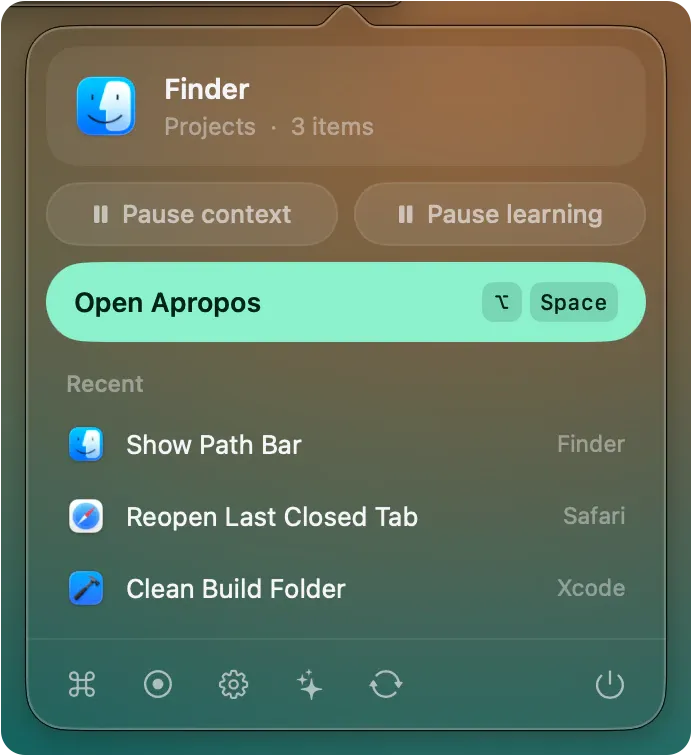
A free, open source Mac command palette. Press Option-Space in any app and run its menu commands, or an action on what you selected, from the keyboard. Everything stays on your Mac.
Apropos is signed with a self-signed certificate and is not notarized, so macOS says it could not verify the app on the first launch. Choose Open Anyway in System Settings, Privacy and Security. It asks for Accessibility access to read and press the menus of the app in front. Install steps
The Apropos launch film
- Status
- Early, version 0.1.1
- Price
- Free to download and use today. No price has been announced.
- License
- Open source, MIT
- Requires
- macOS 14 or later, on Apple silicon and Intel
- Last release
- 2 November 2026
What it does.
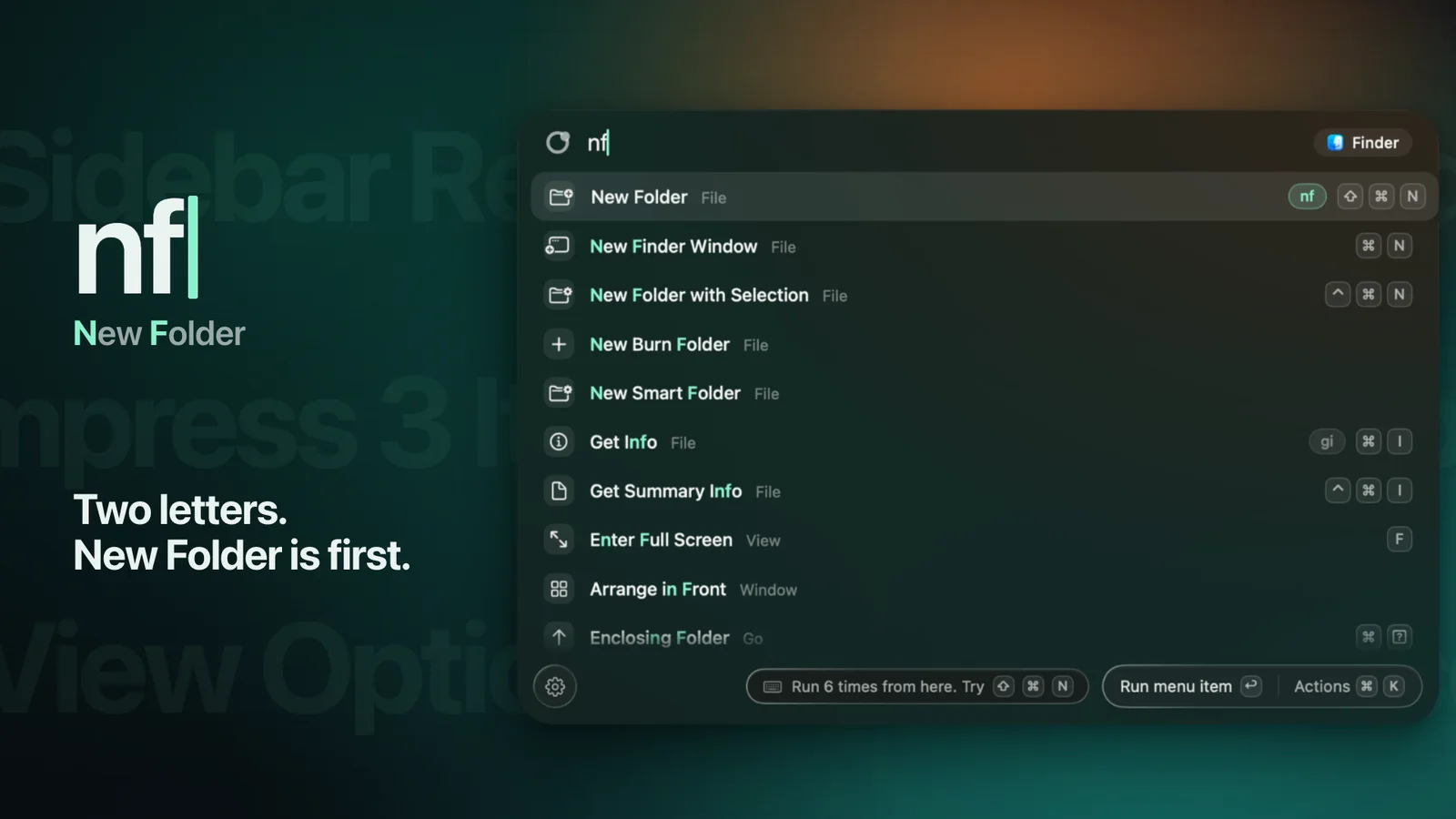
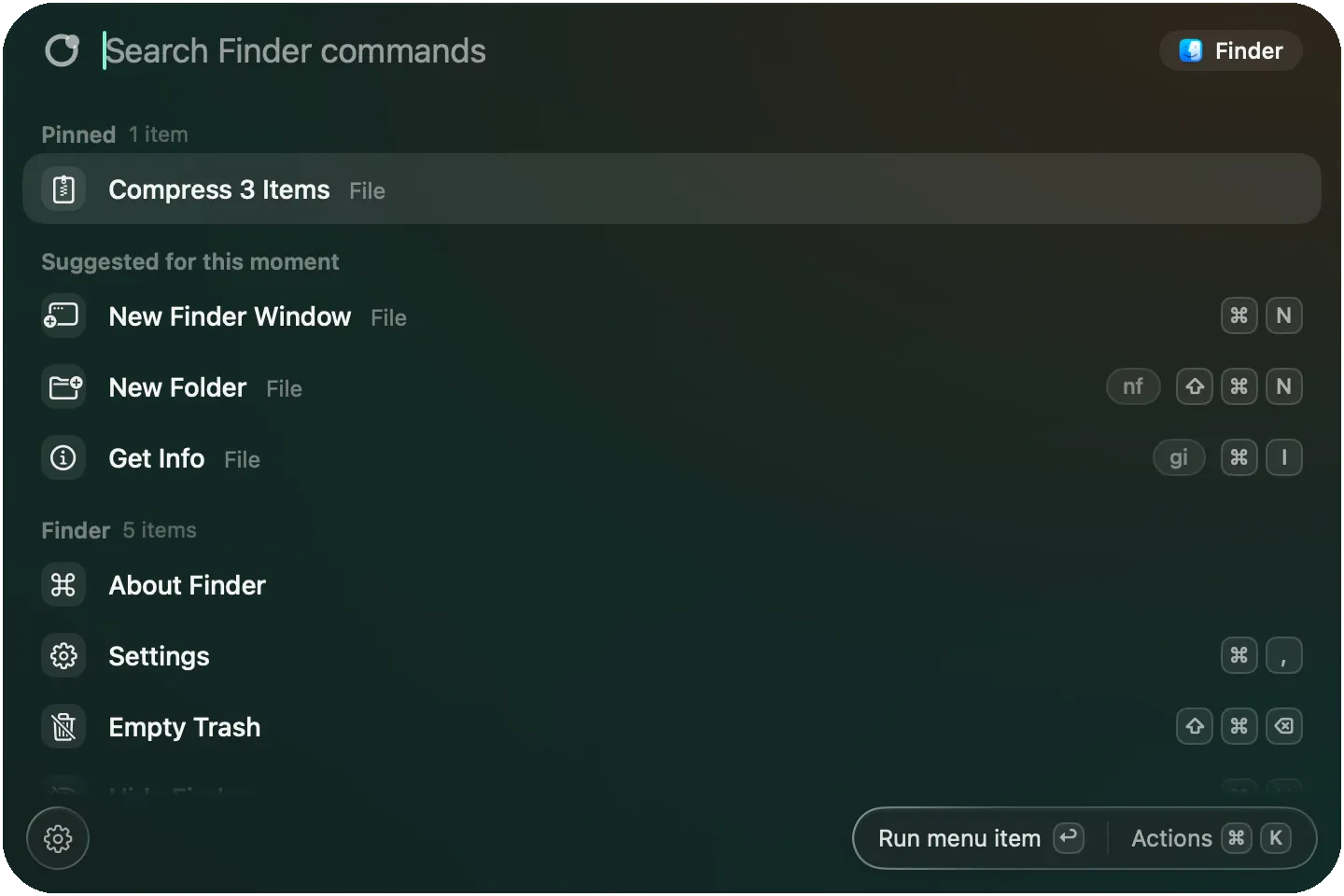
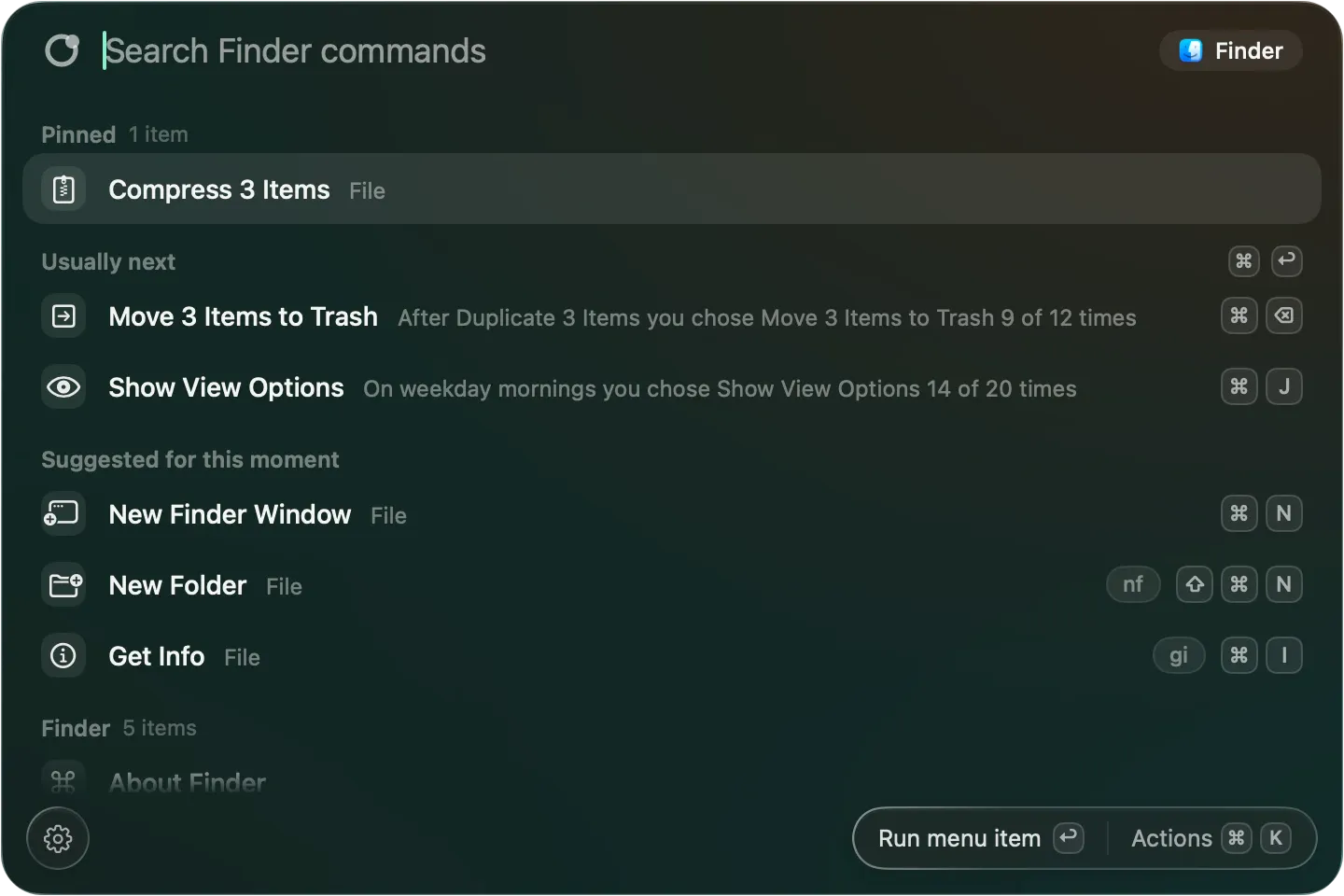
Press Option-Space and a panel opens on the screen you are working on. It lists every menu command of the app in front, with its shortcut and whether it is available. Type two letters and the one you meant comes first, and Return runs it.
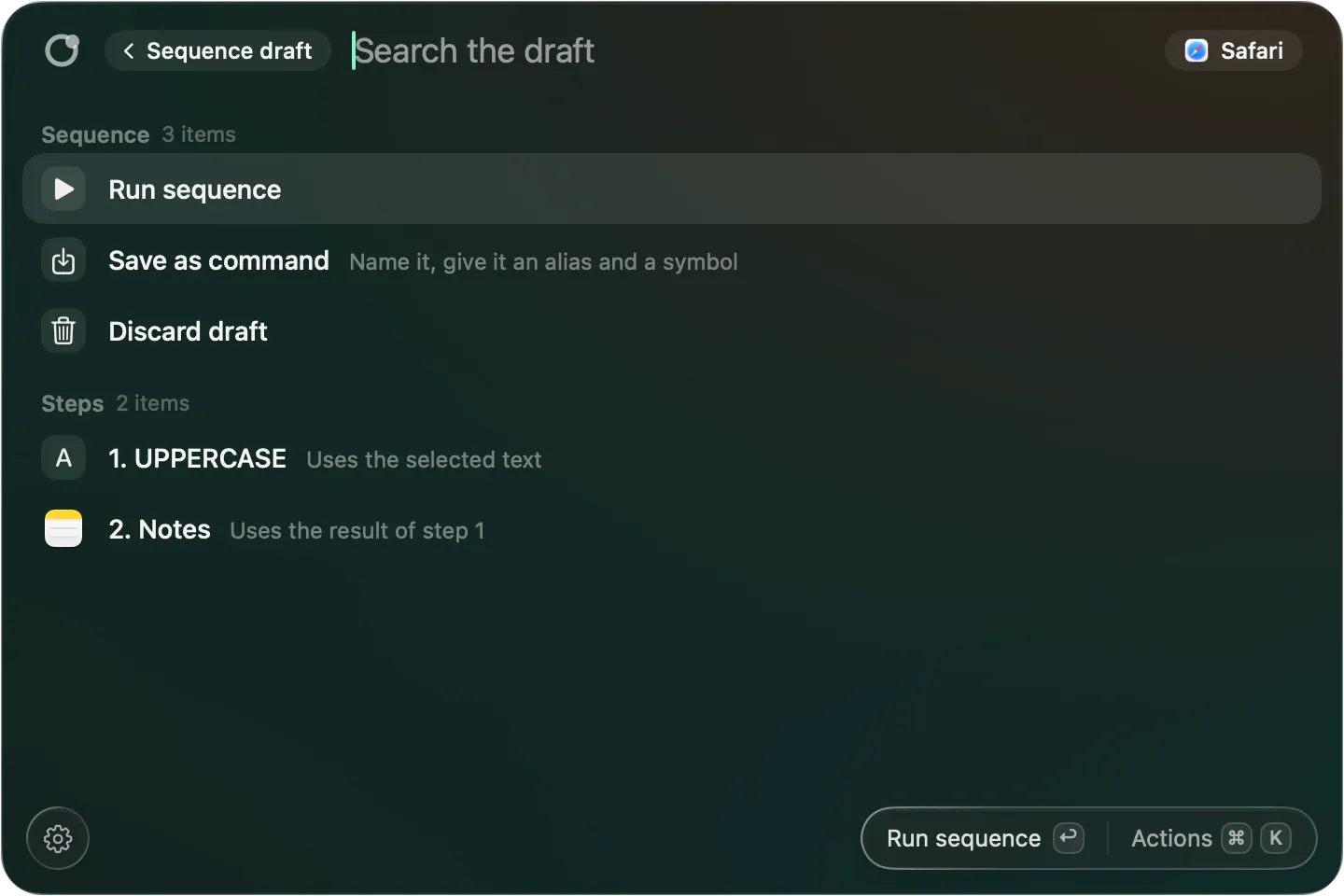
Select text, files or a page and the panel offers actions that fit, plus a send this to layer for Notes, Reminders, Things, Obsidian, Bear, a Mail draft and more. Give any command a name and a global key of your own, or chain steps into commands.
It learns which command you run next from command names and times only. Nothing about your screen leaves your Mac and there is no account. It sits next to a launcher rather than replacing one, so it does not launch apps, search files or manage the clipboard. It is early, and settings and file formats can still change before 1.0.
Features.
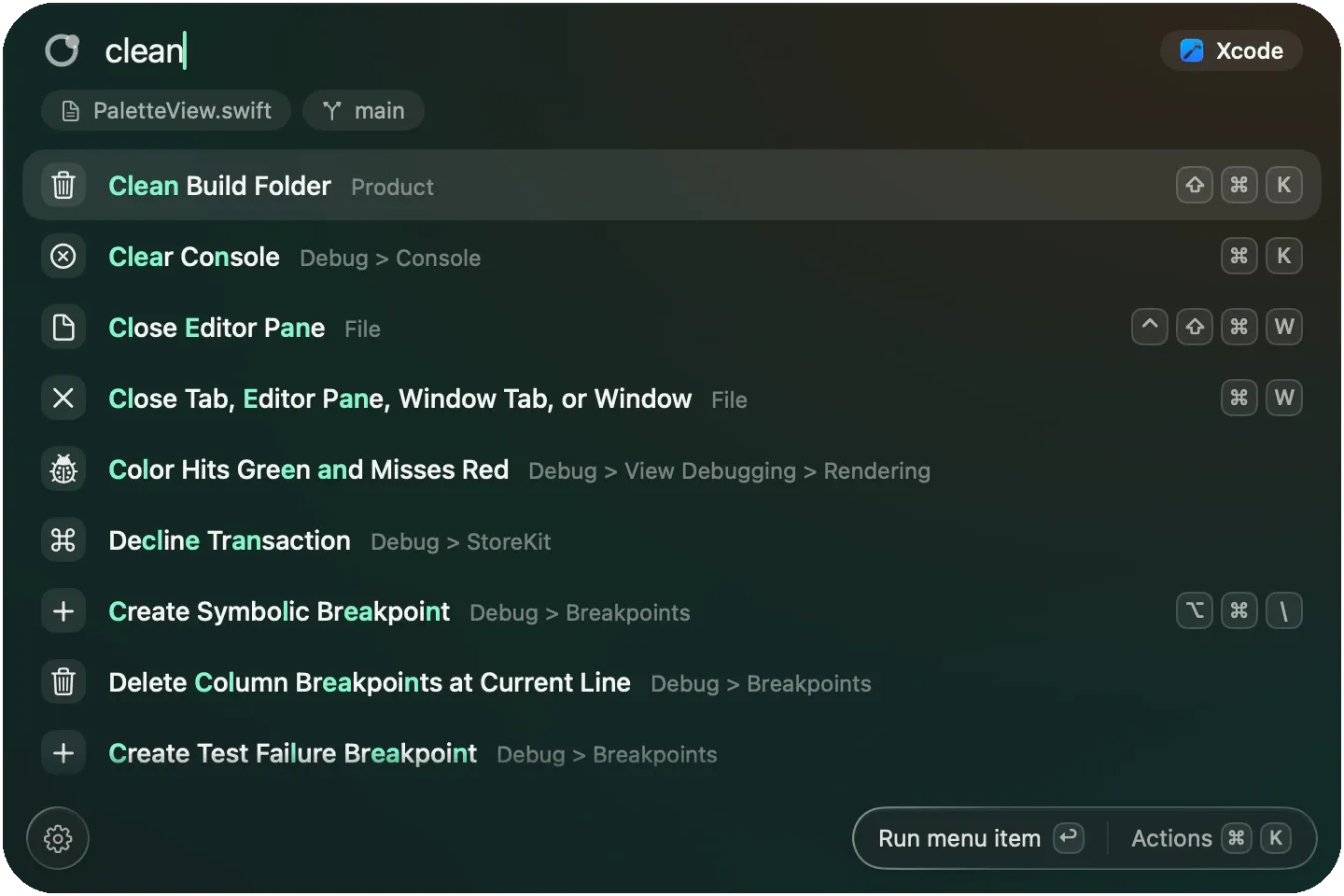
Every menu command of the app in front
With its shortcut and whether it is available, fuzzy search, and Return runs it. Read only when the panel opens, never while it is closed.
Actions for what you selected
Selected text, files, the page or the folder you are in each get the actions that fit first, whether or not the app has a menu item for them.
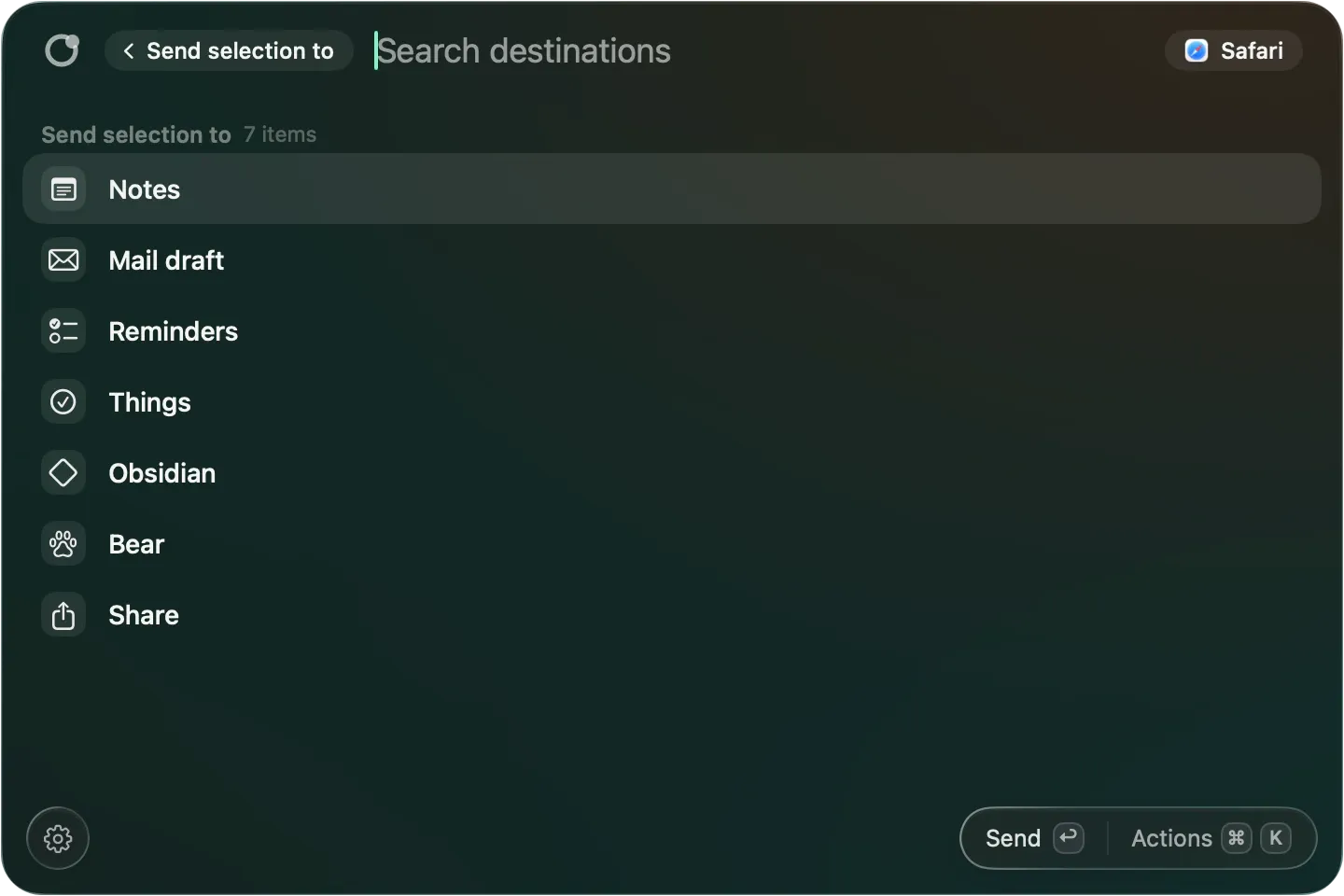
Send to
Send a selection, page, files or folder to Notes, Reminders, Things, Obsidian, Bear, a Mail draft that is never sent, a folder or the Share menu. Each shows only when its app is installed.
Aliases and global shortcuts
Press Command-K on any menu item to give it a name of your own and a global key.
Your own commands and sequences
Define a link, a Shortcut or a program once and run it from the panel, its own key or an apropos link. Sequences chain steps across apps, with one confirmation before the first step.
Learns what you run next
It says why it suggests a command, for example after which command you usually run it, from names and times only.
Record a command (Early)
Do something once in an app's menus, review each step with a rating, and save it. It records menu picks and keyboard shortcuts only, not button clicks or typed text.
Good to know.
- No account, no sync, no cloud, no AI, no analytics and no crash reporting.
- It reads the menus of the app in front only when the panel opens, and not at all for apps on a privacy list such as password managers.
- What it learns about your habits is command names, apps and times only, never selections, addresses or document names, and you can make it forget.
- Update checks are off until you turn them on in Settings.

