Rimline
Native Mac apps, made by one person
Three apps that each fix one small thing: idle trackpad edges, stale git branches, buried menu commands.
What if fixing one small thing took one small app?
01 / 03 · Released · $5 once · Closed source · Screens from the next release
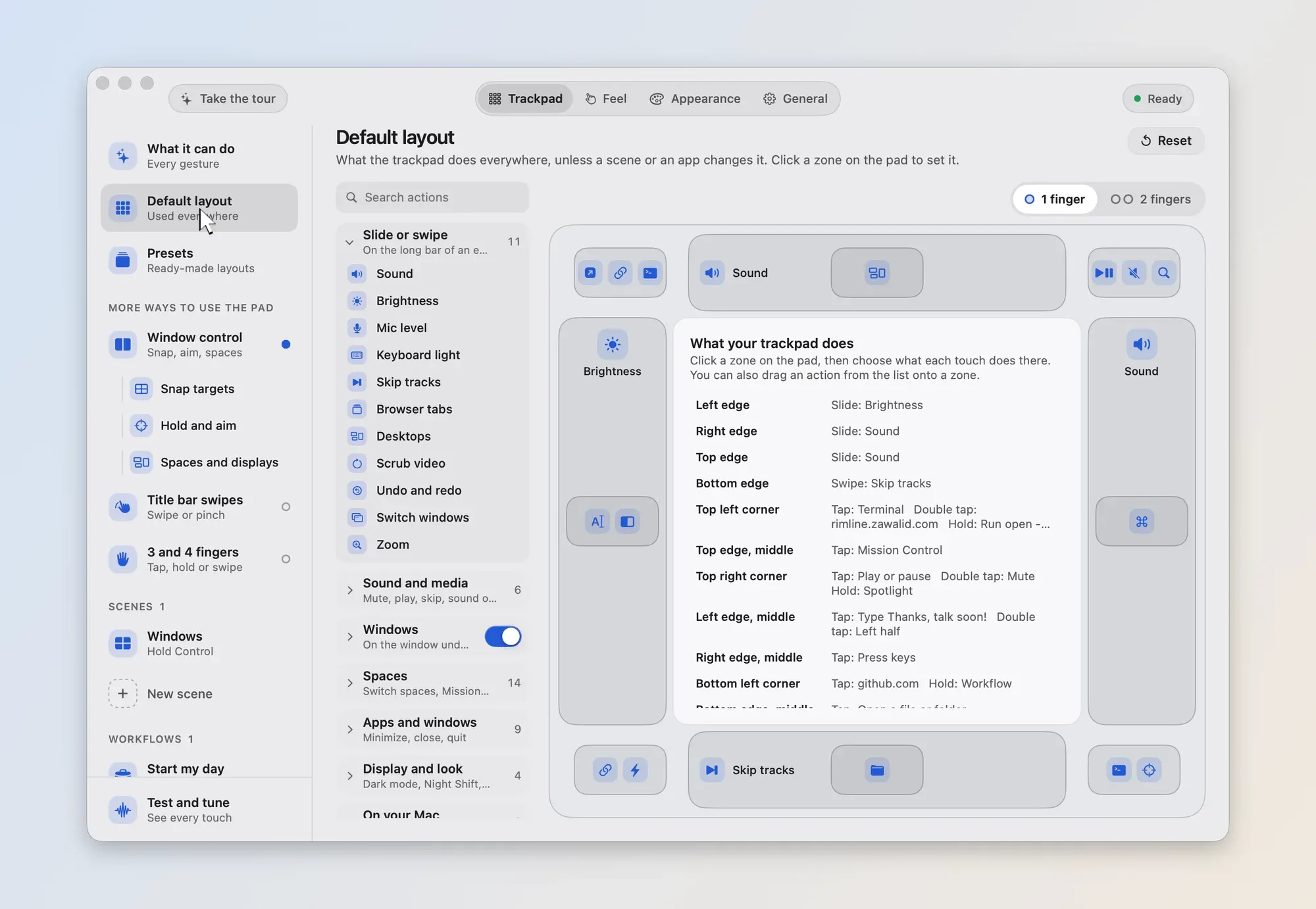
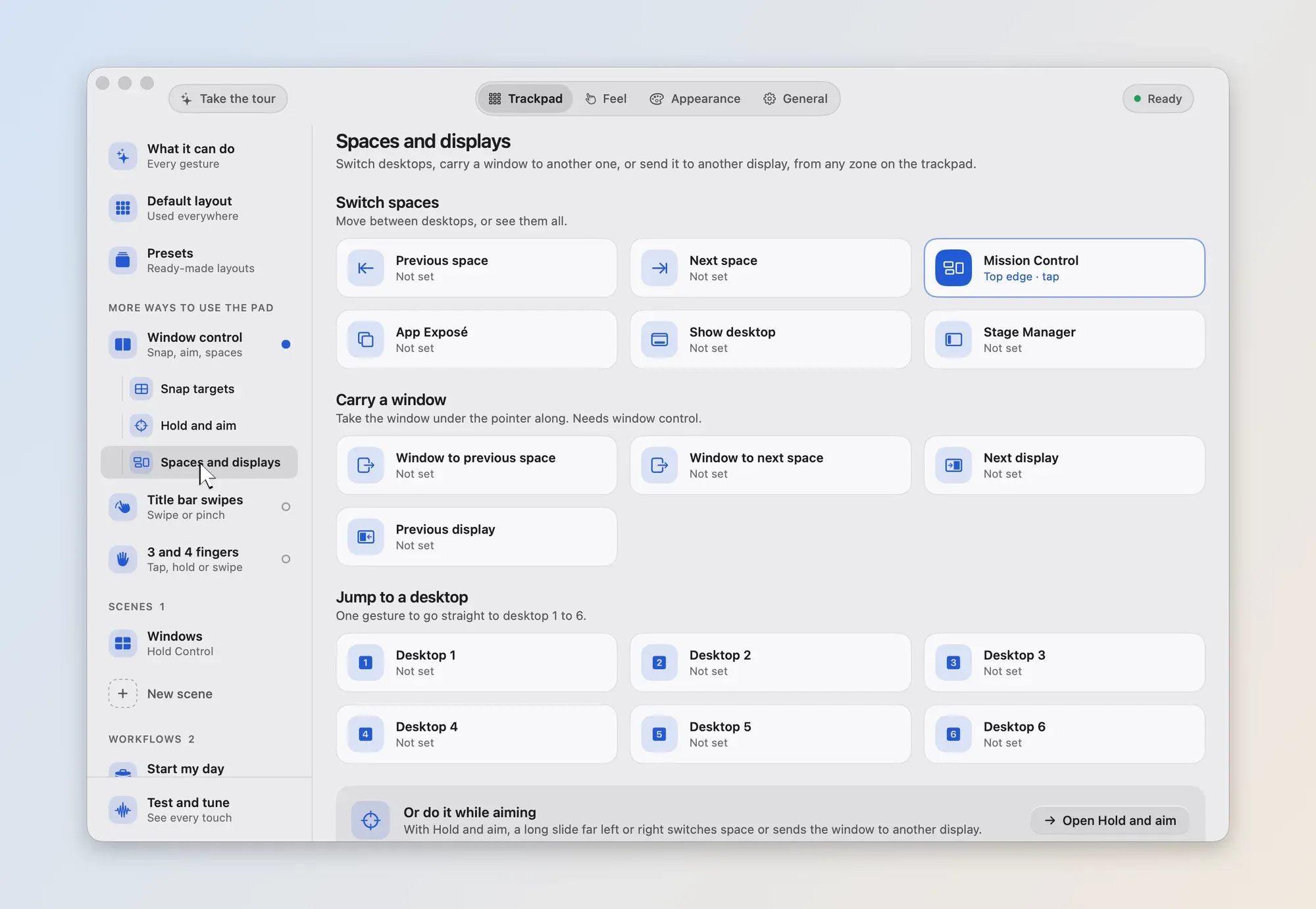
Pick a corner or an edge, then set what a tap, a double tap or a hold does.
An outline shows where the window will land. Lift to place it.
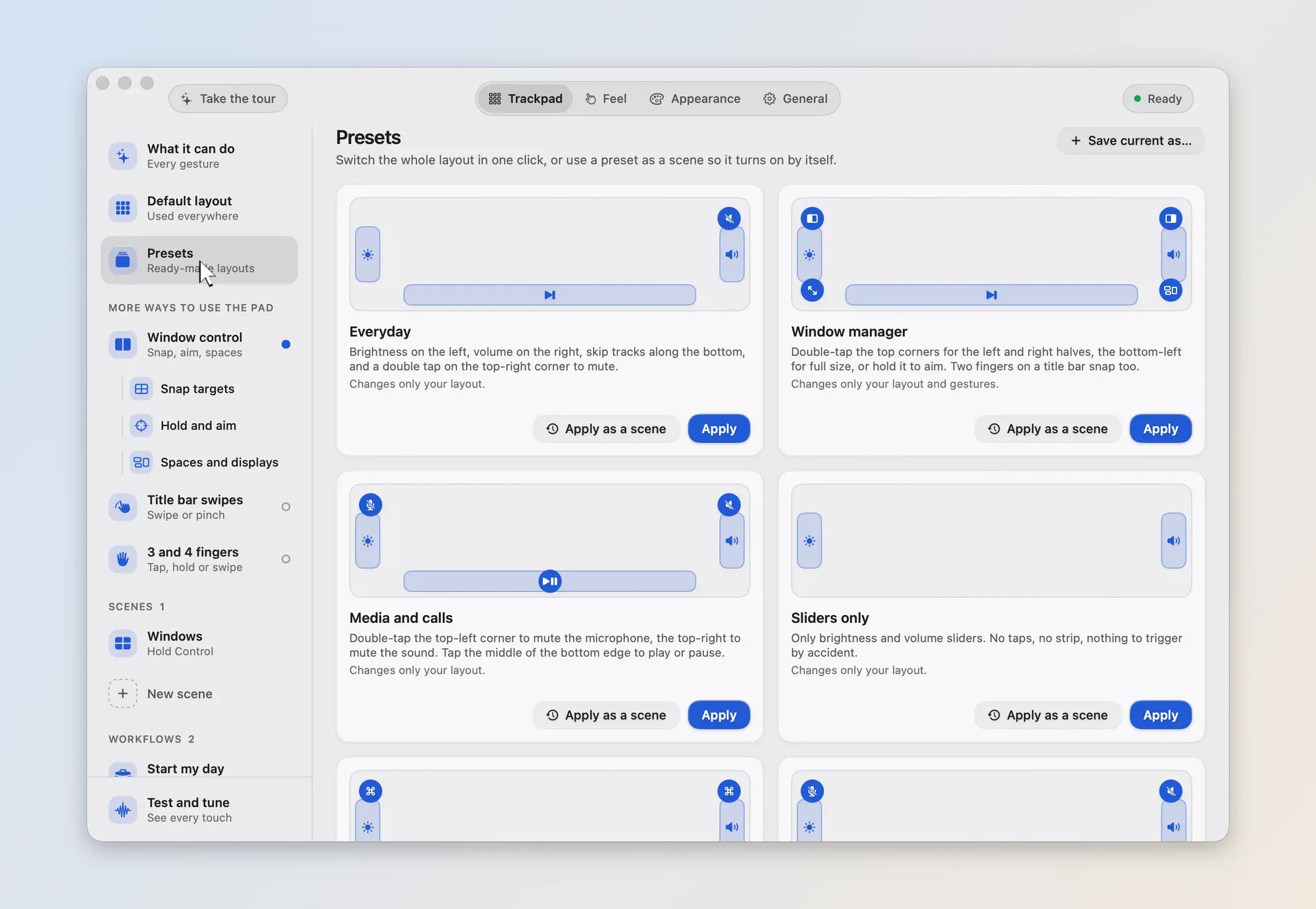
Start from Everyday, Window manager, Music and more, then change what you like.
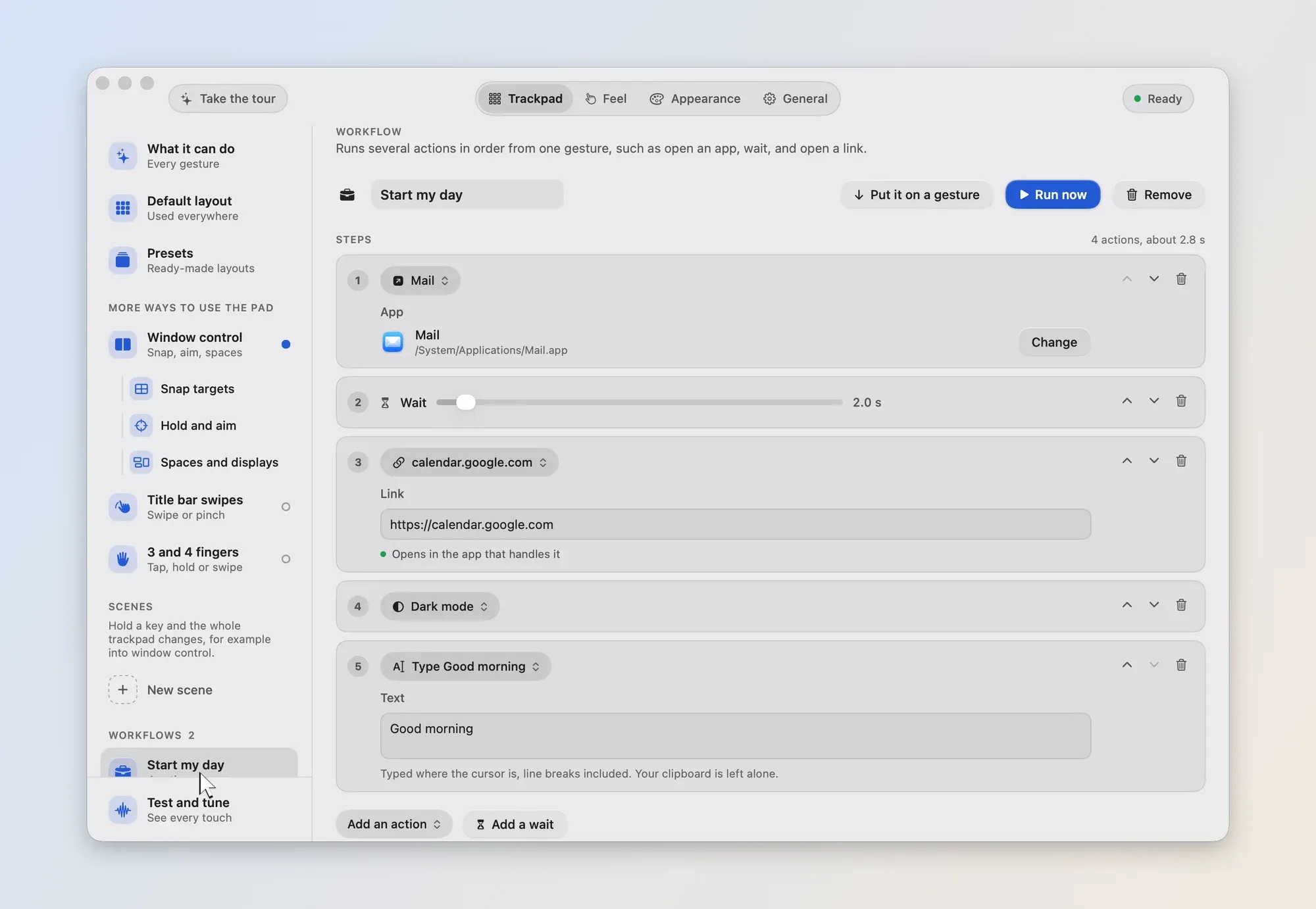
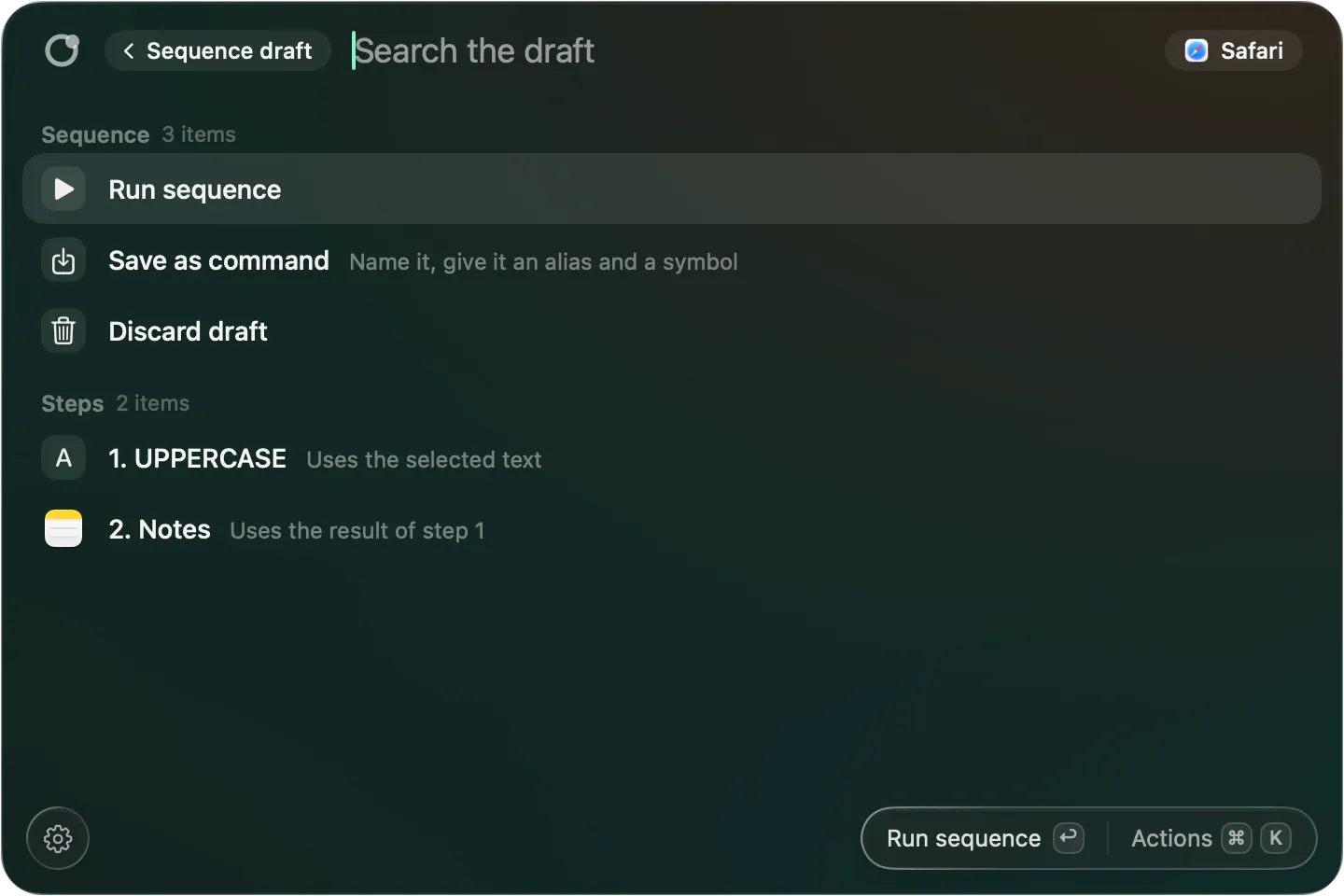
Run several steps under one name, from a gesture or a rimline link.
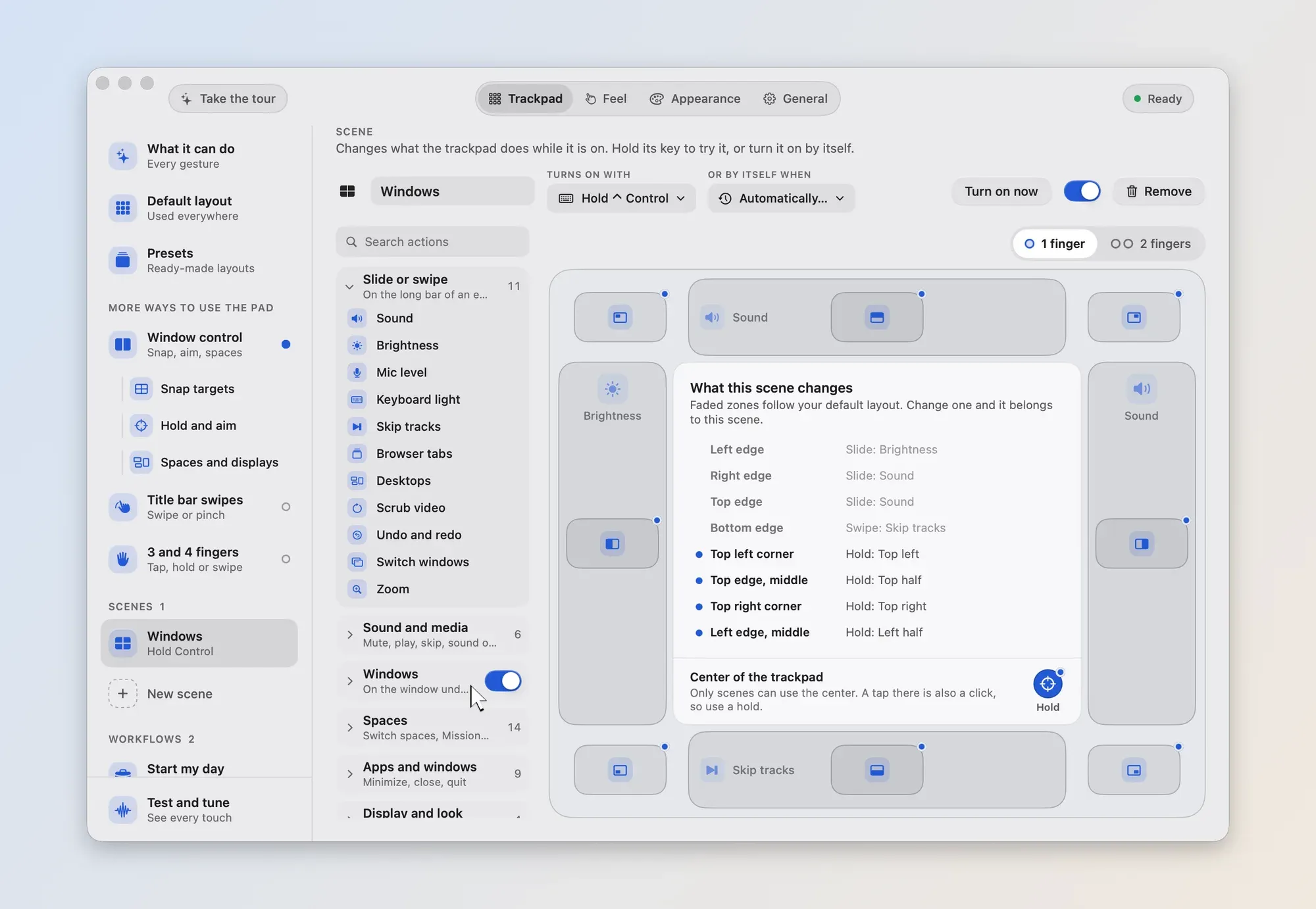
Turn a layout on for an app, headphones, a display or a time of day.
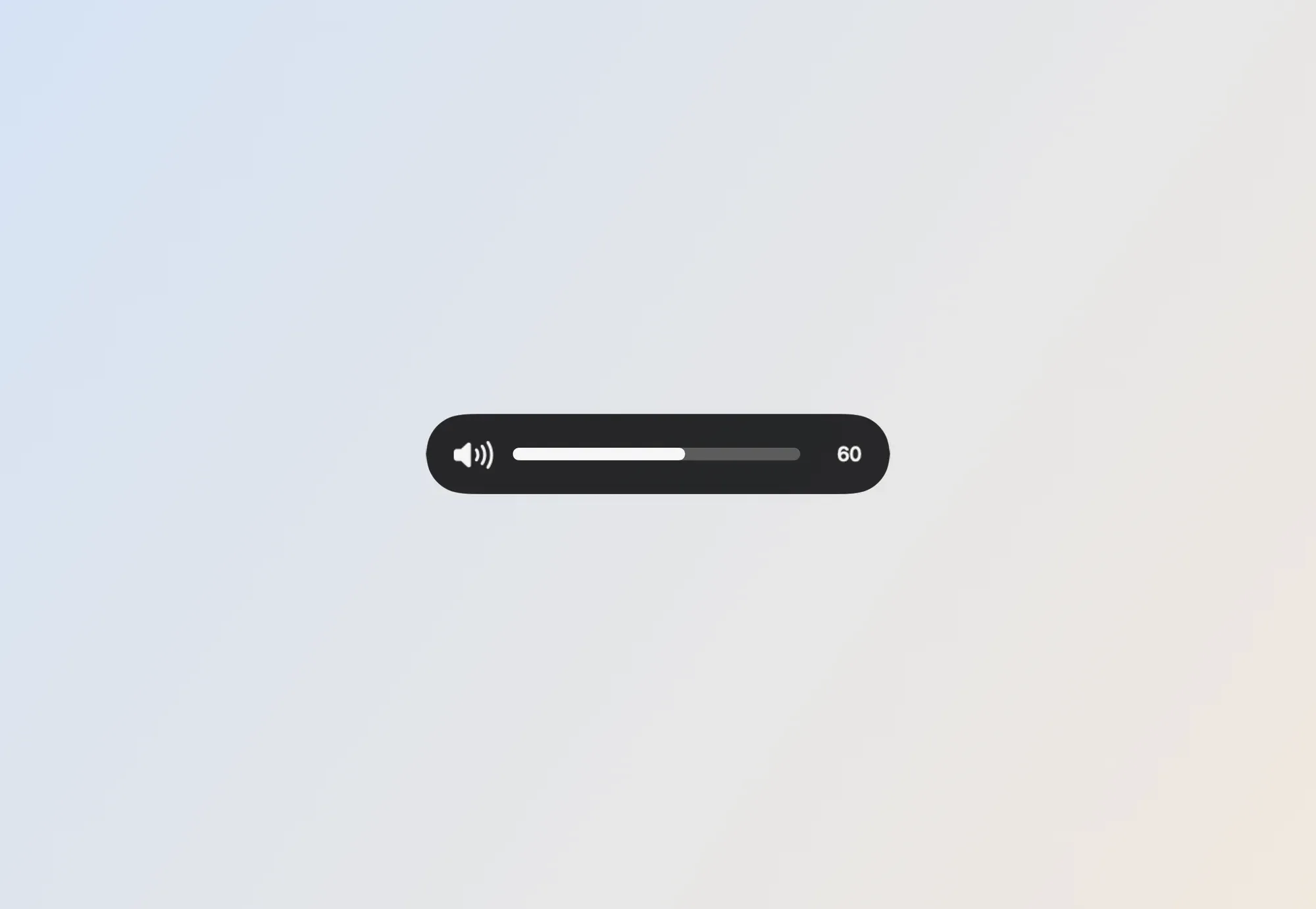
A small display shows the level or the action as you slide or tap.
02 / 03 · Released · Free · Open source
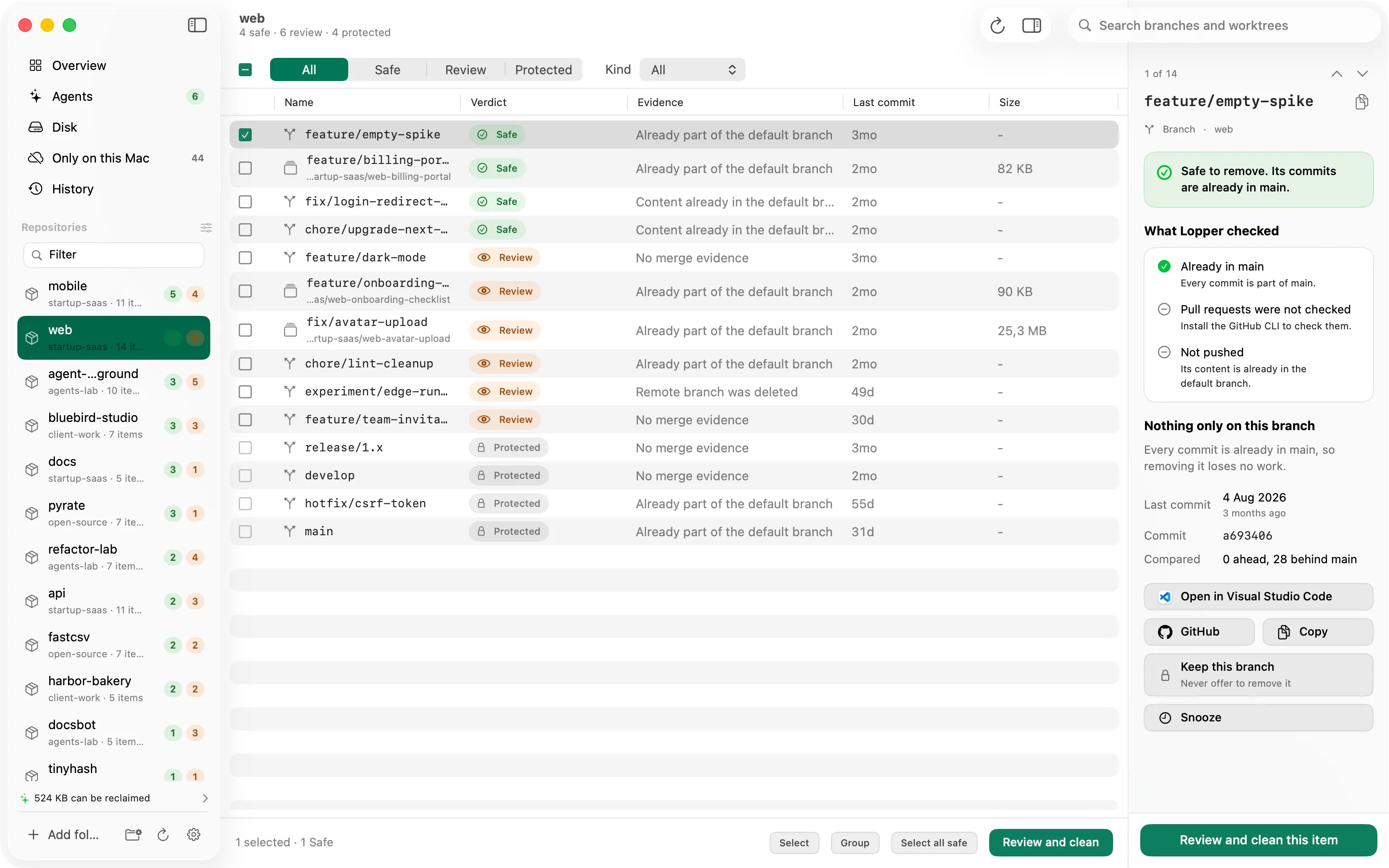
Lopper sorts each branch and worktree as Safe, Review or Protected and shows the git evidence behind it. If it cannot prove a branch is merged, it says so.
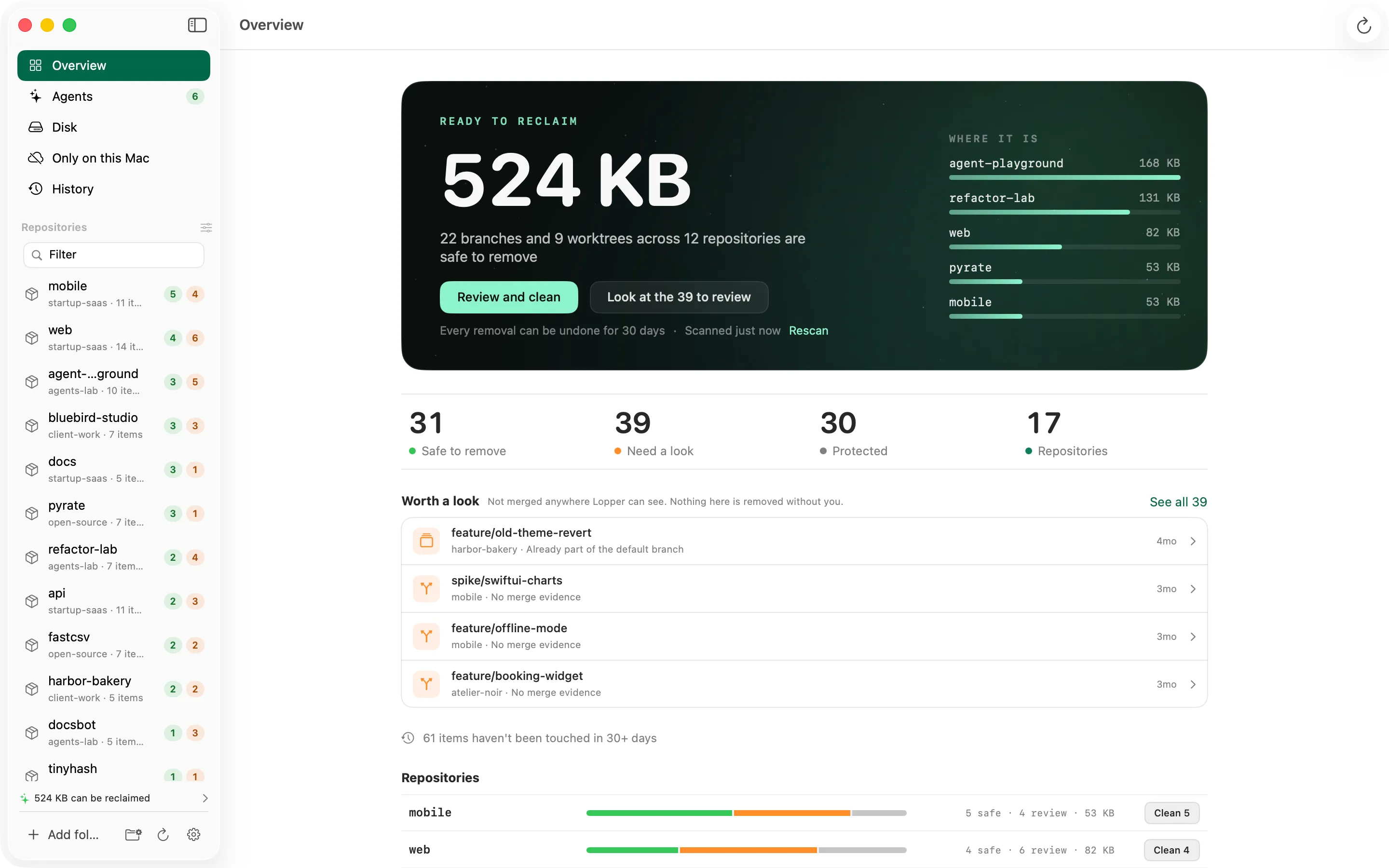
One number for the space you can safely reclaim, the counts by verdict, and the repositories that hold the most. The data in these pictures is sample data.
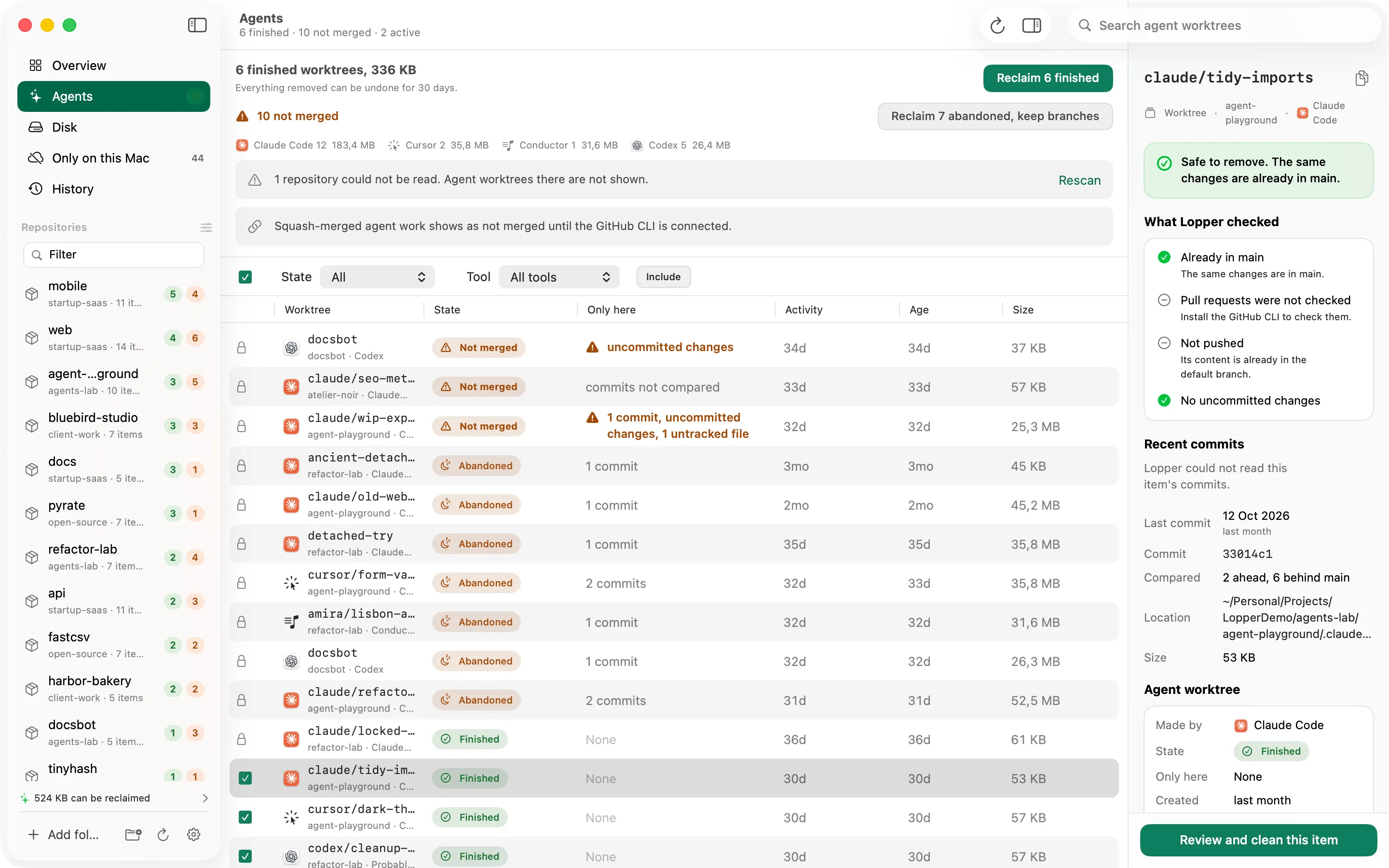
Worktrees left by AI coding agents, with their age and whether they hold unmerged or uncommitted work. Reclaim the finished ones in one step.
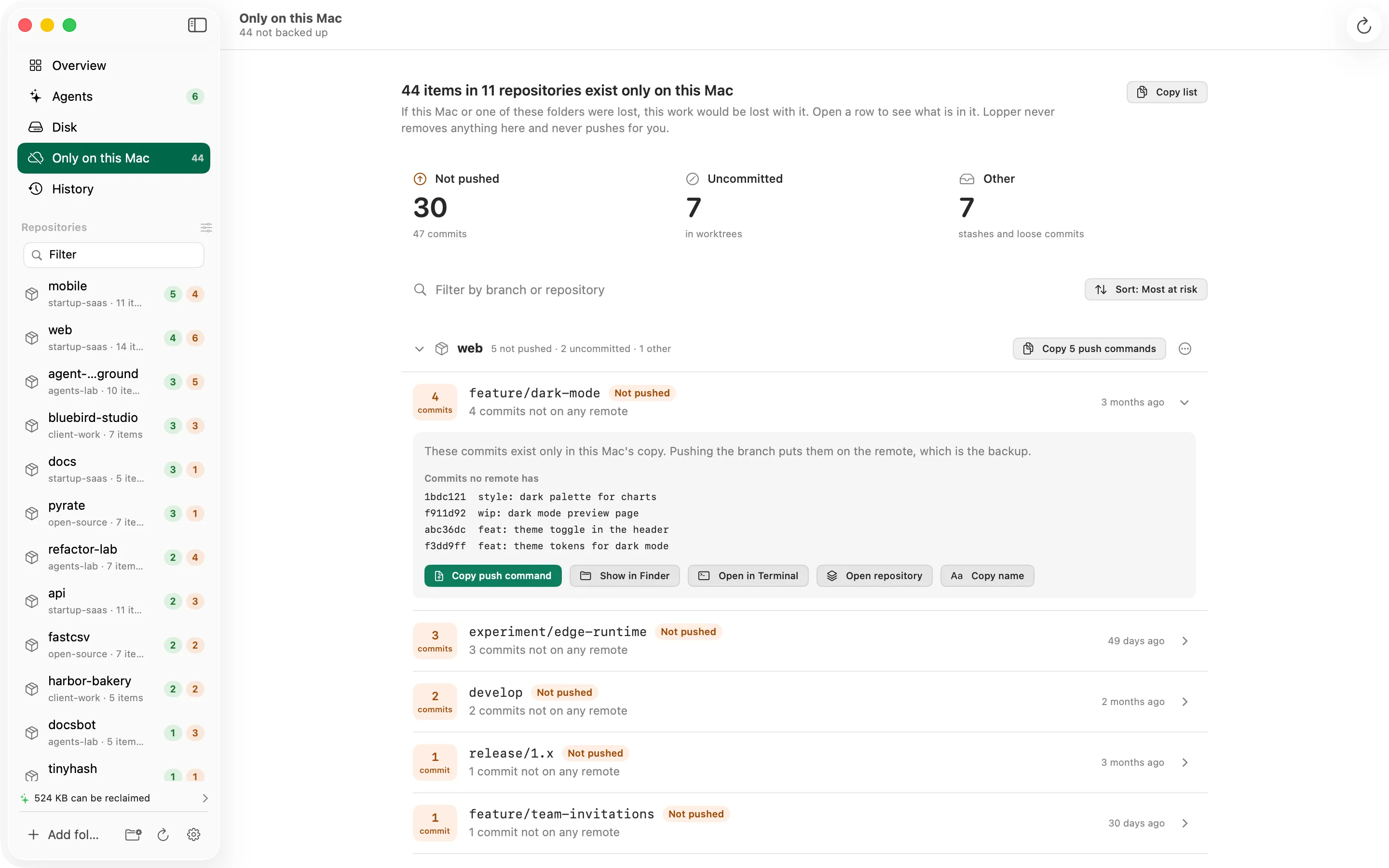
Unpushed commits, uncommitted changes and stashes, ordered by risk. Lopper lists them and never pushes or removes anything.
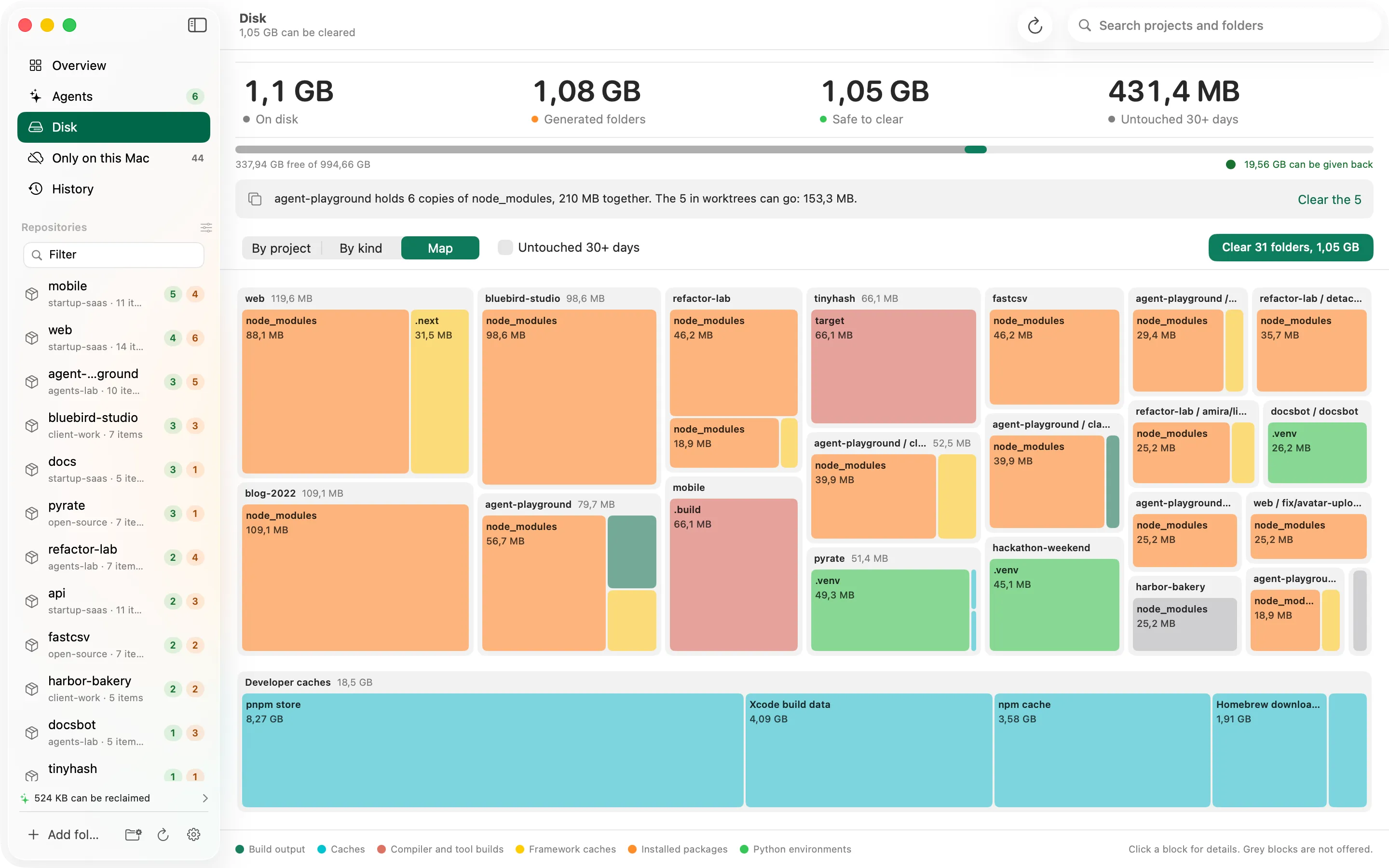
Generated folders and developer caches by project, kind or as a map. Clearing sends them to the Trash, with undo.
03 / 03 · Early · Free · Open source
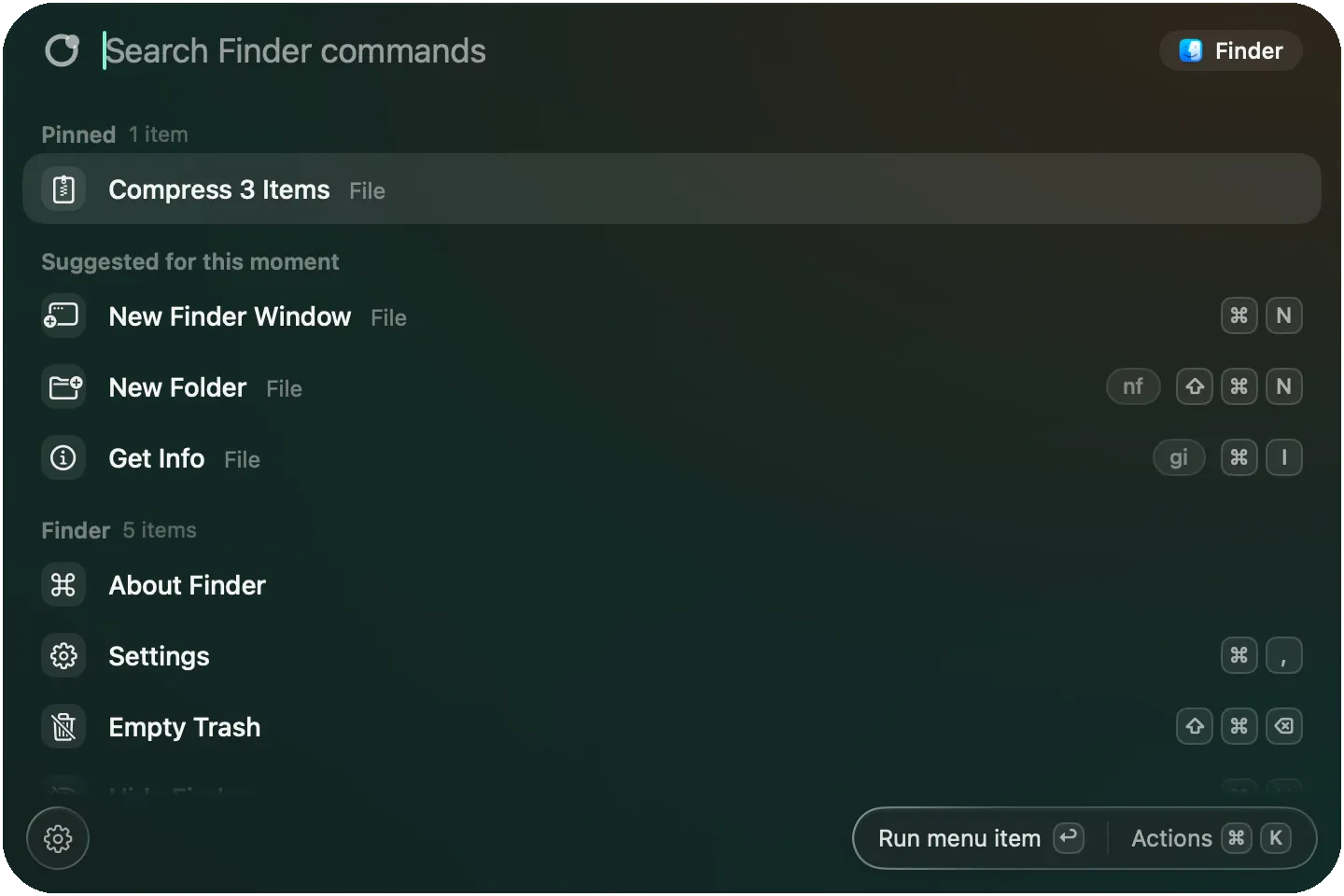
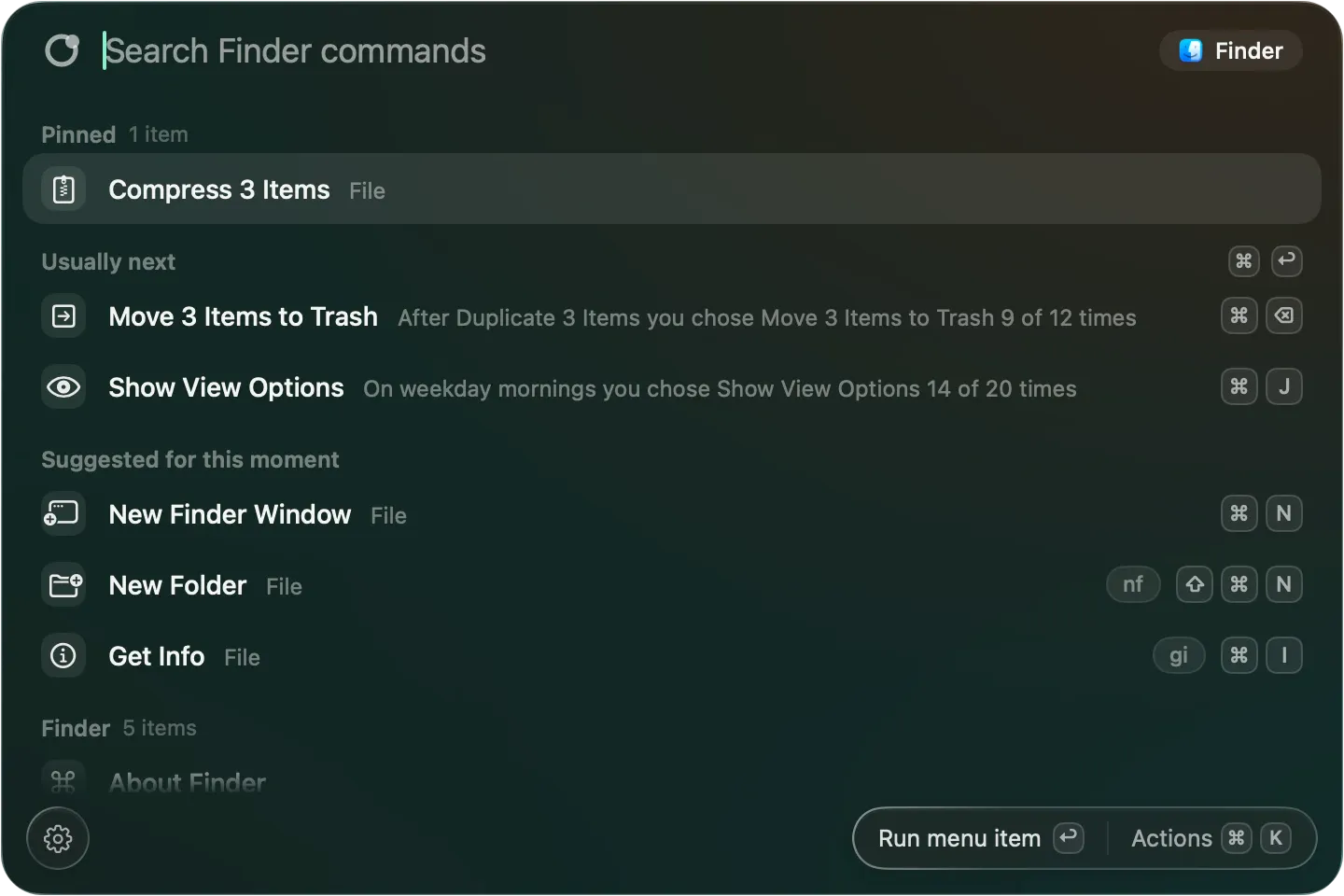
Press Option-Space in any app and its menu commands are one search away, with the shortcut and whether each one is available right now.
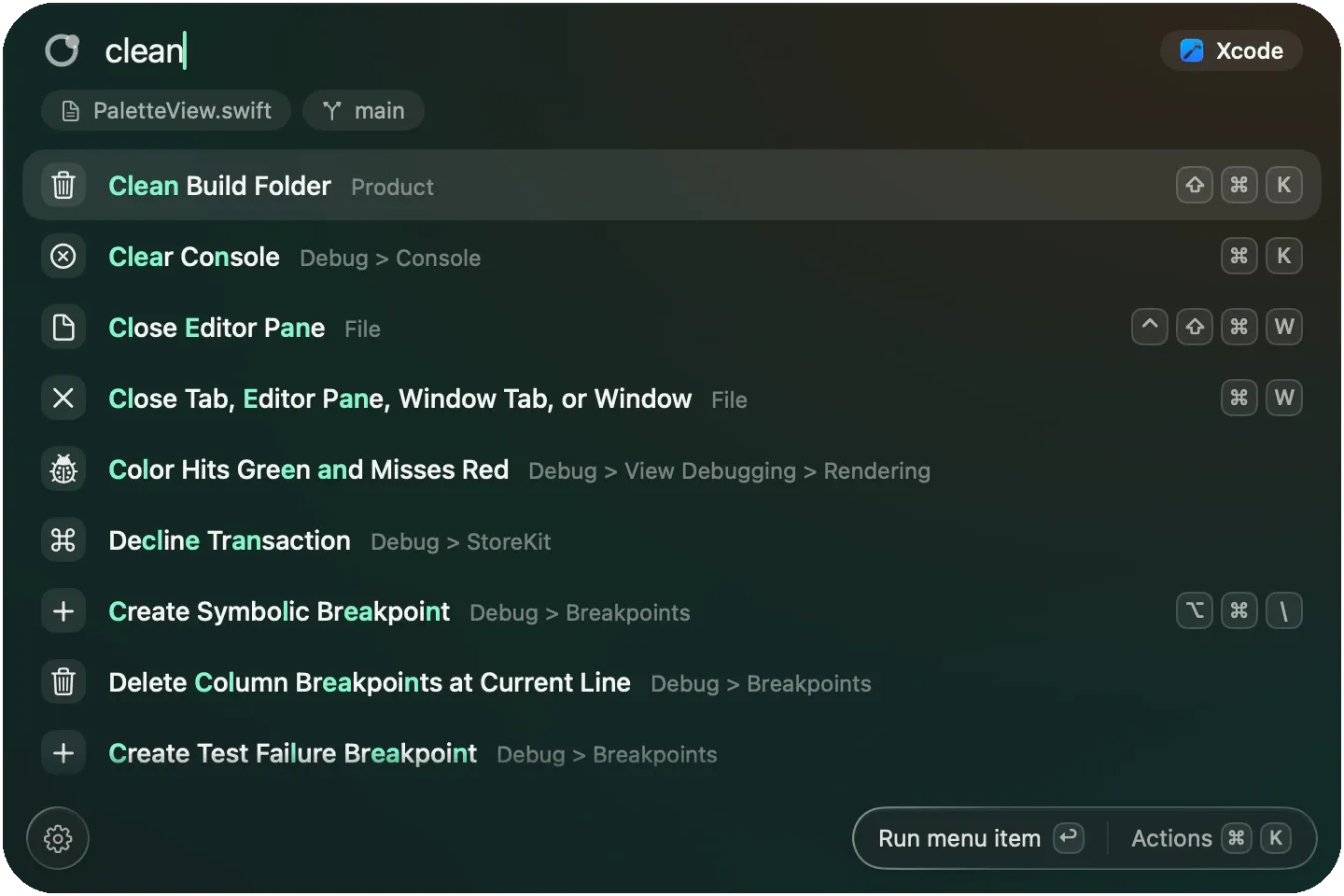
Every menu command of the app in front, even the deep ones, found with a few letters. A swapped pair of letters is forgiven.
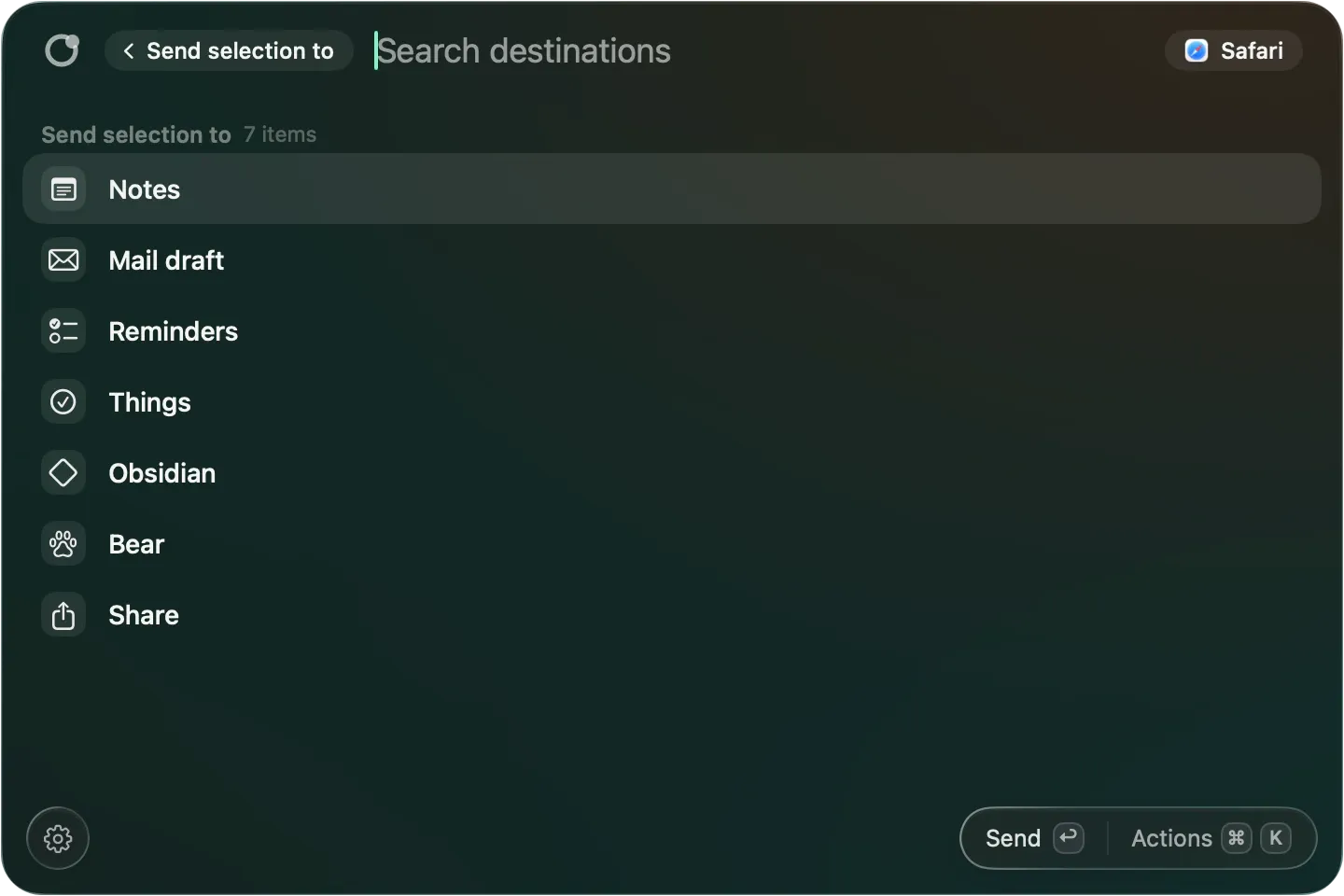
Select text or files and send them to Notes, Reminders, Things or a Mail draft without leaving the app you are in.
Combine steps across apps into one command, with one confirmation before it runs, and save it with a name, an alias and a shortcut.
Suggestions come with the reason, from command names and times only, and you can make it forget.
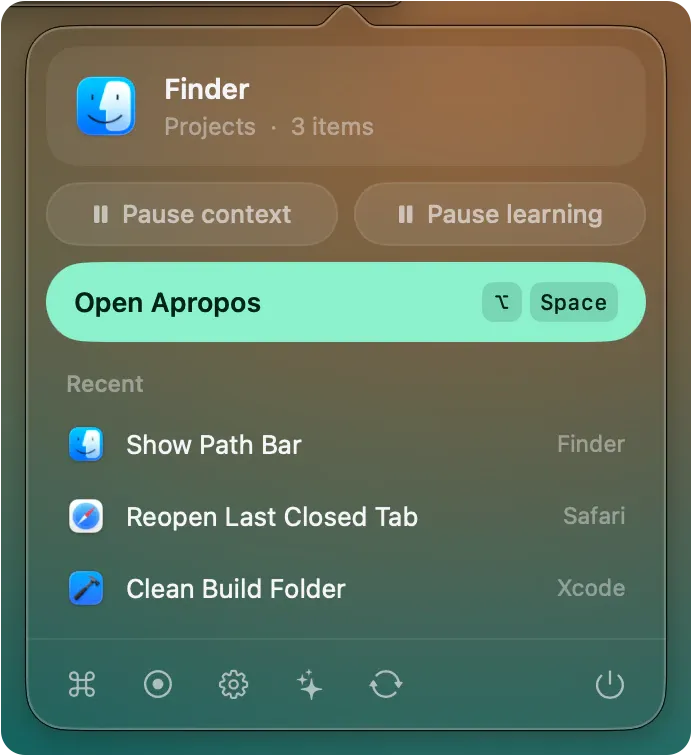
No Dock icon. Open Settings, record a command or quit from the menu bar.
Your trackpad has edges. Use them.
Released, $5 once, Closed source
Pick a corner or an edge, then set what a tap, a double tap or a hold does.
An outline shows where the window will land. Lift to place it.
Start from Everyday, Window manager, Music and more, then change what you like.
Run several steps under one name, from a gesture or a rimline link.
Turn a layout on for an app, headphones, a display or a time of day.
A small display shows the level or the action as you slide or tap.

Clean up git branches and worktrees, and undo any of it.
Released, Free, Open source
Lopper sorts each branch and worktree as Safe, Review or Protected and shows the git evidence behind it. If it cannot prove a branch is merged, it says so.
One number for the space you can safely reclaim, the counts by verdict, and the repositories that hold the most. The data in these pictures is sample data.
Worktrees left by AI coding agents, with their age and whether they hold unmerged or uncommitted work. Reclaim the finished ones in one step.
Unpushed commits, uncommitted changes and stashes, ordered by risk. Lopper lists them and never pushes or removes anything.
Generated folders and developer caches by project, kind or as a map. Clearing sends them to the Trash, with undo.

Every menu command of the app in front, one key away.
Early, Free, Open source
Press Option-Space in any app and its menu commands are one search away, with the shortcut and whether each one is available right now.
Every menu command of the app in front, even the deep ones, found with a few letters. A swapped pair of letters is forgiven.
Select text or files and send them to Notes, Reminders, Things or a Mail draft without leaving the app you are in.
Combine steps across apps into one command, with one confirmation before it runs, and save it with a name, an alias and a shortcut.
Suggestions come with the reason, from command names and times only, and you can make it forget.
No Dock icon. Open Settings, record a command or quit from the menu bar.
Released · $5 once · Closed source
Your trackpad has edges. Use them.
Released · Free · Open source
Clean up git branches and worktrees, and undo any of it.
Early · Free · Open source
Every menu command of the app in front, one key away.
Walid Zakan, a full stack developer in Rabat, Morocco. Each app is made and kept up by one person.
macOS asks for a confirmation the first time you open an app that Apple has not notarized. Here is what each app says.
Every app lists its releases on this site and on its own changelog. In-app update checks are off until you turn them on.
You made it to the bottom
Pick one, try it, and keep what helps.